 EN
EN

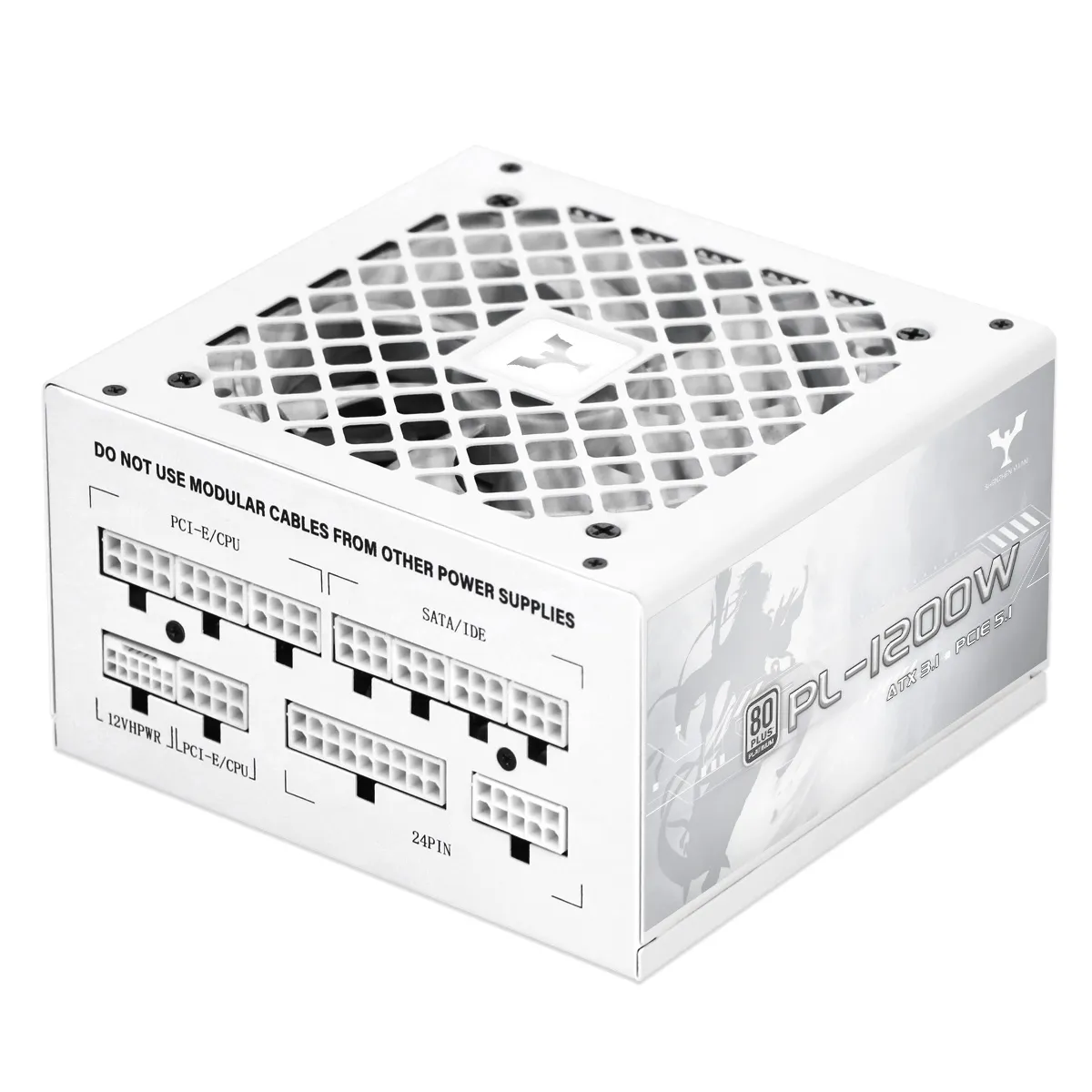
Determining the Right Wattage and Power Requirements for Your ATX Power Supply
Matching PSU Wattage to CPU and GPU Power Draw
CPUs and GPUs today eat up around 65 to 85 percent of all the power a computer system consumes. Take something like the RTX 4080 graphics card it can pull as much as 320 watts when working hard. The top tier Intel Core i9-14900K processor isn't far behind either, sometimes hitting 253 watts during heavy tasks. Most major GPU makers are telling consumers these days that they should size their power supply based on peak thermal design power instead of just looking at average numbers. This makes sense if we want our systems to run smoothly through those demanding gaming sessions or video rendering projects without crashing or throttling back performance.
Calculating Total System Thermal Design Power (TDP)
A 2023 Ponemon Institute study found that 23% of PC stability issues stem from undersized PSUs. To accurately estimate your system's power needs:
- Sum the base power ratings of all components
- Add a 20% buffer for capacitor aging over time
- Account for transient spikes—short bursts that can reach up to 3x GPU TDP within milliseconds
This comprehensive calculation helps prevent unexpected shutdowns and ensures reliable operation under real-world conditions.
Importance of PSU Headroom for Peak Loads and Future Upgrades
PSUs operate most efficiently between 40–60% of their maximum capacity. Maintaining at least 30% headroom improves efficiency, reduces coil whine by 18% (Cybenetics 2022), and extends capacitor lifespan by 2–3 years. This margin also supports future hardware upgrades—such as higher-tier GPUs or CPUs—without requiring a new power supply.
Case Study: Overloading a 650W PSU in a 750W-Recommended Gaming Build
When someone tried running a gaming rig with an RTX 4070 Ti graphics card (which eats up 285 watts) alongside a Ryzen 7 7800X3D processor (drawing 120 watts), they kept getting random shutdowns with just a 650 watt power supply. Looking at the power consumption showed brief surges hitting around 710 watts, way beyond what the 12 volt line could handle safely. After switching out to an 850 watt PSU, all those crashes stopped happening. Plus, there was actually an 11 percent drop in wasted electricity from the wall socket. This shows why it's so important to think ahead about those sudden power demands that happen during intense gaming sessions or when rendering stuff.
ATX 3.0 and ATX 3.1 Standards: PCIe 5.0 Support and 12VHPWR Connector Safety
How ATX 3.0 Supports PCIe 5.0 Power Demands
The ATX 3.0 standard came along because newer PCIe 5.0 graphics cards were guzzling so much power that older standards just couldn't keep up. One big change was the introduction of this thing called 12VHPWR, which stands for 12-volt High Power Connector. This connector can push out as much as 600 watts from a single port, making it perfect for those top tier cards such as the NVIDIA RTX 4090 series. What makes this different from the old school 8 pin connectors is how it works. The new 12VHPWR actually has these special sense pins that talk back and forth between the graphics card and the power supply unit. This communication helps reduce those pesky voltage drops when there's a sudden spike in power demand, sometimes going way beyond what the system is rated for. According to PCI SIG data from 2022, these improvements really make a difference in stability under heavy load conditions.
Role of 12V-2x6 (12VHPWR) Connectors in Modern GPU Power Delivery
The new 12V-2x6 connector that came with ATX 3.1 actually made things better compared to those older 12VHPWR versions. They shortened those sense pins down to just 1.7mm which makes a big difference. Looking at the latest PSU Connector Safety Report from 2024, it turns out this modification helps make sure the cable is fully plugged in before electricity starts flowing through it, cutting down on overheating problems quite a bit. Another nice thing about this newer design is that it works well with upcoming graphics cards that follow the PCIe 5.1 standard. These cards can get up to 600 watts of power without needing those extra cables connected together, which simplifies things for builders and reduces clutter inside computer cases.
Controversy Analysis: Early 12VHPWR Connector Melting Incidents
During the fourth quarter of 2022, several users started noticing their 12VHPWR connectors melting away. When thermal imaging was done on these components, it revealed spots getting way hotter than they should be, sometimes hitting over 150 degrees Celsius. The main culprit? Poor cable installation practices. According to findings from the PC Component Safety Study released last year, around three out of four cases had problems with cables not sitting properly in their slots or being bent at awkward angles that limited proper contact. Although there definitely were some design flaws that contributed to these issues, most of the early failures could actually be traced back to mistakes made during installation rather than inherent product defects.
Why ATX 3.1 Adds Reliability Improvements for Small Form Factors
The ATX 3.1 standard makes compact PC builds more reliable because it tightens up voltage regulation specs to around ±5% during sudden power spikes, which is better than the ±7% allowed under ATX 3.0. Another big plus is that these new power supplies cut down on electromagnetic interference by roughly 40%, thanks to smarter capacitor placement according to research from the Power Supply Engineers Consortium back in 2023. For folks building small form factor machines with powerful PCIe 5.0 hardware, this matters a lot since there's just not much room for error when it comes to heat management and electrical stability in those tiny cases.
Efficiency Ratings: Understanding 80 Plus and Cybenetics Certifications for ATX Power Supplies
Differences Between 80 Plus Bronze, Gold, Platinum, and Titanium
The 80 Plus certification looks at how efficient power supplies are when running at different loads: 20%, 50%, and all the way up to 100%. There are actually six different levels in this system - starting from the basic White tier right up through Bronze, Silver, Gold, Platinum, and finally Titanium which is the highest rating possible. Let's break down what these numbers mean practically speaking. The Bronze certified models manage around 82 to 85 percent efficiency, while Gold ones get better at between 87 and 90 percent. If we move up to Platinum, we see an improvement to roughly 89 to 92 percent efficiency. And then there's Titanium, which sits comfortably in the range of 90 to 94 percent efficiency. According to TechRadar's handy guide on 80 Plus ratings, every additional 3 percentage points of efficiency means less heat generated and less wasted energy. For instance, upgrading could save approximately 30 watts worth of power in a standard 500 watt power supply setup.
How Efficiency Impacts Heat Output and Electricity Costs
When components run more efficiently, they naturally produce less heat. Take an 80 Plus Gold power supply unit for instance it works at around 90% efficiency, meaning just about 10% gets turned into waste heat. Compare that to regular models where nearly 18% becomes heat instead. The difference matters because less heat means the cooling system doesn't have to work as hard, which also cuts down on annoying fan noise. For someone living somewhere electricity costs about 15 cents per kilowatt hour, switching from a Bronze rated PSU to Gold in a typical 750 watt setup would actually save more than forty dollars over five years. That kind of saving adds up while also making the whole system last longer without breaking the bank.
Cybenetics vs. 80 Plus: Which Certification Is More Reliable?
Most folks know 80 Plus as the go-to benchmark in the power supply world, since around 93% of manufacturers rely on it when promoting their products. But there's another player in town called Cybenetics that takes things further. Their testing looks at both efficiency levels (they call this Lambda) and how quiet the PSU runs (which they label Eta), checking these metrics at over 15 different load points instead of just the four used by 80 Plus. When we checked out PCGuide's side-by-side comparison of certifications, it became clear that Cybenetics gives a much clearer picture of how these units actually perform in real situations, particularly important if someone wants super quiet operation or needs reliability for critical systems. Still worth noting though, even with all its shortcomings, 80 Plus remains pretty much mandatory if anyone wants to establish minimum standards of quality.
Modularity, Form Factor, and Physical Compatibility in ATX Power Supply Selection
Benefits of Fully Modular PSUs for Cable Management and Airflow
Fully modular PSUs allow users to install only the cables they need, reducing internal clutter by up to 40% compared to fixed-cable models. Cleaner routing enhances airflow, particularly in mid-tower cases where space around the motherboard tray affects cooling efficiency. This flexibility also simplifies upgrades and maintenance.
When Semi-Modular Designs Offer the Best Value
Semi-modular PSUs provide a cost-effective middle ground, featuring permanently attached 24-pin motherboard and 8-pin CPU cables. They eliminate the premium of full modularity while still supporting clean installations—ideal for budget-focused or single-GPU builds where cable complexity is minimal.
Ensuring PSU Fits Within Case Dimensions and Motherboard Constraints
The length of a power supply unit matters a lot when it comes to fitting everything together properly. Most standard ATX power supplies fall somewhere between 140 and 180 millimeters long. When building smaller systems with SFX-L sized power supplies, builders need to check if there's enough space around graphics cards, storage drives, and those metal plates on the back of components. Industry folks have noticed that about one out of every four new builds gets sent back because the power supply doesn't fit right. That's why measuring twice before buying once really pays off in avoiding headaches later on.
Critical Protection Features and Connector Availability in Reliable ATX Power Supplies
How Over Voltage (OVP) and Under-Voltage (UVP) Protection Safeguard Components
Good quality ATX power supplies come equipped with both OVP and UVP protection circuits which shut down power when things get too dangerous for the electronics inside. The Over Voltage Protection kicks in whenever voltages go over 120 percent of what they should be normally around, say something like 13.2 volts on a standard 12 volt line. This helps keep expensive parts safe from damage during those sudden spikes that happen sometimes. Under Voltage Protection works differently though it cuts power if voltages drop below about 75 percent normal levels, roughly 9 volts on a 12 volt circuit. This prevents all sorts of problems with hard drives losing data when there's a power dip or electrical instability in the building's wiring system.
Role of Over-Current (OCP), Over-Power (OPP), and Over-Temperature (OTP) Protections
Comprehensive protection involves multiple layers:
- OCP limits current per rail to prevent damage to GPU VRMs
- OPP caps total output at 110–130% of rated wattage to avoid overload
- OTP uses thermal sensors to monitor heatsink temperatures and shut down the unit if overheating occurs
Tom's Hardware's 2024 stress test found that ATX 3.1-certified units activated OCP 23% faster than pre-2022 models during simulated short circuits, highlighting advancements in response speed.
Industry Paradox: Some Budget PSUs Claim Protection but Lack Proper Circuitry
Cybenetics testing in 2023 revealed that 41% of sub-$60 PSUs advertised with “full protection” lacked functional OCP/OVP chipsets. Instead, these units relied on basic fuses that fail to react within the <2ms window required to protect modern components from transient spikes—posing serious risk to system integrity.
Ensuring Sufficient PCIe, SATA, Molex, and Native 12V-2x6 Connector Availability
High quality ATX PSUs offer:
- At least two dedicated PCIe 8-pin connectors (rated for 150W each)
- Native 12V-2x6 connectors for PCIe 5.0 GPUs
- Modular SATA and Molex ports for flexible storage and peripheral expansion
Budget models often share 12V rail capacity across multiple PCIe connectors, a design linked to 72% of GPU power-related failures in 2024 hardware compatibility studies. Choosing a PSU with independent, adequately rated rails ensures stable and scalable performance.