 EN
EN

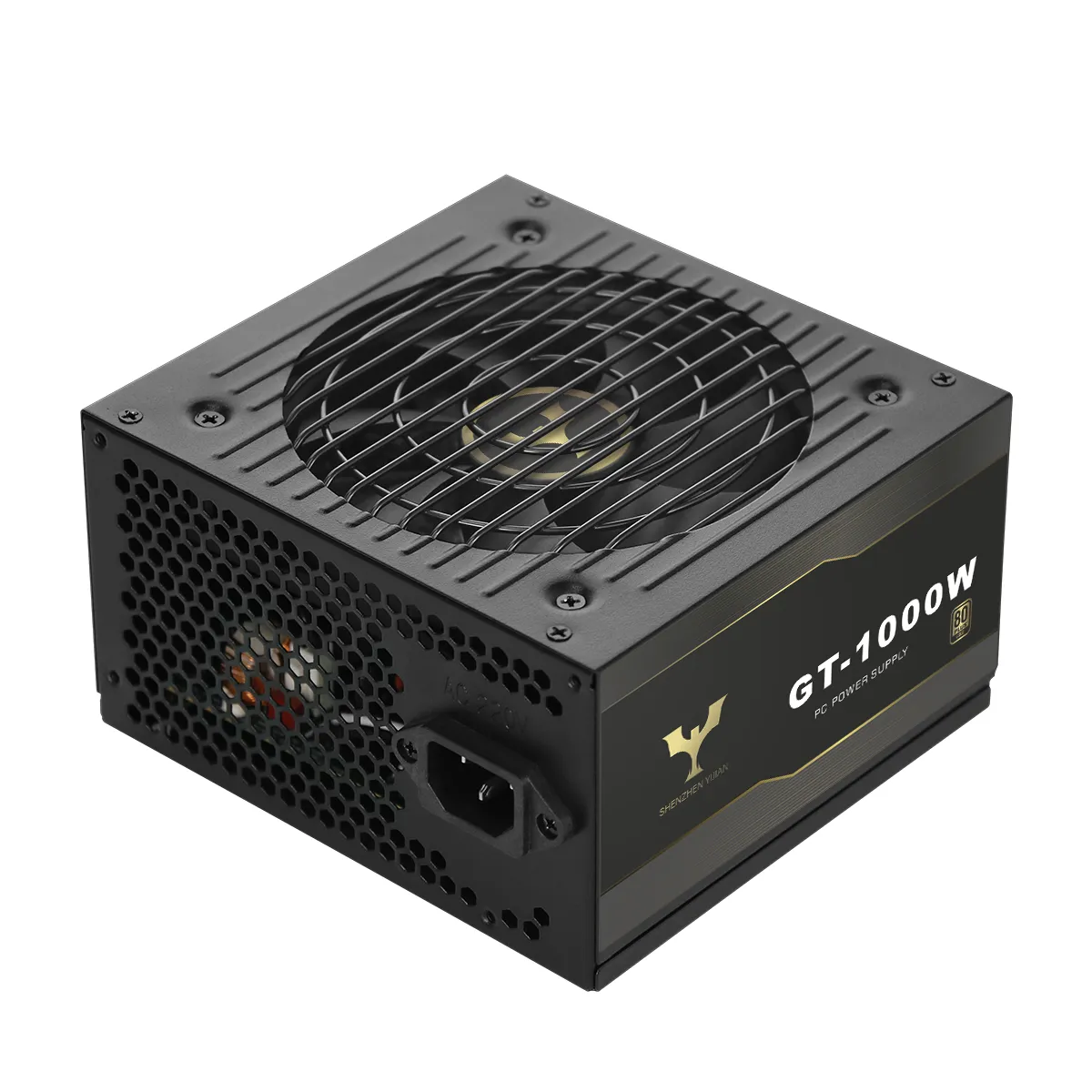
ATX 3.0 and ATX 3.1 Compliance: Next-Gen Standards for Modern Computer Power Supply Units
Understanding ATX 3.0 and ATX 3.1 Standards for Computer Power Supply Units
The ATX 3.0 and 3.1 standards have changed how power gets delivered to today's computers. When it came out in February 2022, ATX 3.0 brought some important changes including support for those new PCIe 5.0 graphics cards and handling short bursts of power three times what the power supply is rated for, lasting just 100 microseconds. Then there's ATX 3.1 from September 2023 that made adjustments to these specs. The biggest change was swapping out the troublesome 12VHPWR connector for something better called the 12V-2x6 version. Many people think ATX 3.1 is automatically better than 3.0, but that's not always true. Some of those strict power response rules got relaxed in 3.1 to make manufacturing easier for companies making these components.
| Feature | ATX 3.0 | ATX 3.1 |
|---|---|---|
| Peak Power Handling | 200% of rated power (3x for 100 μs) | 200% of rated power (3x for 100 μs) |
| Primary Connector | 12VHPWR (16-pin) | 12V-2x6 (16-pin, shorter sense pins) |
| GPU Power Delivery | Up to 600W | Up to 675W |
| Compliance Focus | High transient response | Improved safety protocols |
The Role of 12VHPWR and 12V-2x6 Connectors in Next-Gen GPU Power Delivery
Today's graphics cards like NVIDIA's RTX 40 series need an awful lot of power packed into small spaces. The first version of the 12VHPWR connector tried to handle all this juice through just 16 pins, aiming for around 600 watts max. But there were problems. People kept getting hot spots when connectors weren't fully inserted, plus some manufacturing differences made things worse. Enter ATX 3.1 with its new 12V-2x6 design. These connectors have shorter pins that actually stay connected better, so they don't leave parts hanging out half way. Labs claim this cuts down on heat issues by about 53%, though real world results might vary a bit. Most third party cable makers still stick with the old setup, but if a power supply wants to call itself ATX 3.1 compliant, it needs those new connectors built right in from the factory to pass safety checks.
Backward Compatibility and System Integration Challenges
Most ATX 3.x power supplies still work fine with older ATX 2.x motherboards and parts, so they fit right into many existing computer setups without issues. But there's one thing folks need to check before plugging everything in: whether their graphics card needs match what the PSU actually provides. This becomes really important for those running powerful GPUs that draw lots of electricity. Using old school 8-pin PCIe cables along with adapters isn't such a great idea either since this combo tends to create extra heat spots over time, especially during long gaming sessions or rendering projects. The good news is that when these newer PSUs are connected properly to PCIe 4.0 systems, they can hit around 98 or 99 percent efficiency in actual usage scenarios. Just remember to stick with the original connectors and quality cables though, because cutting corners here might negate all those efficiency gains.
Power Supply Efficiency Ratings: Comparing 80 Plus Bronze to Titanium for Optimal Performance
How 80 Plus Certification Levels Affect Computer Power Supply Efficiency
Created back in 2004, the 80 Plus certification program defines how efficient power supplies need to be at different load levels - specifically checking performance at 20%, 50%, and when running at maximum capacity. Better rated units such as Gold, Platinum, and especially Titanium versions keep their efficiency much steadier across all loads, which means they waste less energy overall. Take a look at actual numbers: a top-end 750 watt Titanium power supply will generate around 45 watts of heat when working hard, whereas a basic Bronze model would produce nearly double that amount (about 112.5 watts) under similar conditions. Beyond saving money on the electric bill, this kind of efficiency gap makes a real difference in keeping computer cases cooler during extended use periods.
Comparing Energy Savings Across Bronze, Silver, Gold, Platinum, and Titanium Tiers
| Tier | 50% Load Efficiency | Annual Energy Cost* | 5-Year Savings vs. Bronze |
|---|---|---|---|
| Bronze | 85% | $98 | Baseline |
| Gold | 90% | $86 | $60 |
| Titanium | 94% | $72 | $150 |
| *Based on 8hrs/day usage @ $0.15/kWh |
Real-World Power Consumption Data: A 5-Year Cost Analysis by Efficiency Tier
Looking at power consumption over five years shows that those fancy Titanium rated power supplies actually pay for themselves in energy savings pretty quickly, usually between 18 to 24 months after purchase. For systems that pull around 400 watts when gaming hard, owners typically save well over $150 versus going with cheaper Bronze tier units. That kind of money adds up fast enough to cover the cost of upgrading to a solid state drive. The savings get even better for people who run their computers nonstop for work or have multiple graphics cards installed in their rig.
Environmental and Thermal Benefits of Higher Efficiency Ratings
Titanium certified power supplies cut down on carbon dioxide emissions somewhere around 620 kilograms over five years when compared with Bronze models. That's roughly the same as if someone planted ten fully grown trees somewhere. These units work much better too, hitting efficiencies of nearly 96 percent when running at half load in those big server setups. The improved performance means less heat builds up inside, which puts less strain on everything else connected to them. Some real world tests have found that this actually makes graphics cards and processors last longer, maybe even extending their life by close to a quarter. This effect is especially noticeable in smaller computer cases or systems without good airflow.
Critical Protective Features and Voltage Regulation in Reliable Computer Power Supplies
Over-voltage (OVP), over-current (OCP), over-power (OPP), and short-circuit (SCP) protection explained
Good quality power supplies come with several built-in protections to keep delicate parts safe. When voltages go over their safe range by around 10%, the Over Voltage Protection (OVP) kicks in and powers down the system before it can harm expensive hardware like CPUs and graphics cards. The Over Current Protection (OCP) works against too much current running through the wires and connections, which would otherwise cause them to wear out faster. For those sudden power spikes that happen during intense gaming sessions, Over Power Protection (OPP) lets high-end units handle surges of almost twice their normal capacity without shutting off completely. This makes all the difference when dealing with those quick bursts of power needed by modern GPUs. And finally there's Short Circuit Protection (SCP), which responds incredibly fast to shorts in the system. Studies show these protections cut down on fire hazards by roughly 90% compared to older models without such safeguards.
How protective circuits prevent component damage during power surges
Modern power supply units come equipped with TVS diodes and gas discharge tubes that can handle surges as high as 6 kilovolts. This matters because around one third of all hardware failures actually happen due to problems with the main power supply - things like brownouts or those sudden voltage spikes caused by nearby lightning strikes. When paired with active PFC technology, these protective components help keep the incoming voltage stable. For businesses operating in areas where the electrical grid isn't always reliable, this kind of protection makes a huge difference in keeping equipment running smoothly during power fluctuations.
Importance of tight voltage regulation and sub-50mV ripple suppression for system stability
The best quality power supplies keep their voltage regulation really tight, usually within about 1% across those important rails like 12V, 5V, and 3.3V. That's way better than what we see from cheaper models that typically allow for a much wider range of +/-5%. When it comes to ripple suppression, anything under 50mV means cleaner power gets delivered throughout the system. Clean power matters a lot when running DDR5 memory modules because they're particularly sensitive to fluctuations. Real world testing has demonstrated something interesting too: systems showing ripple above 75mV tend to suffer around 23% more memory errors while someone tries to push clock speeds beyond factory settings. These errors don't just cause annoying crashes but can actually corrupt valuable data stored on drives connected to these unstable systems.
Impact of poor voltage regulation on CPU and GPU lifespan
Small voltage fluctuations, even as little as 3% beyond what's specified, actually speed up something called electromigration in those fancy 7nm and 5nm chips we see these days. When engineers run stress tests on this stuff, they find that it really shortens how long top end graphics cards last before failing. Instead of hanging around for about eight and a half years, they might only make it four and three quarters instead. And then there's another problem too. Those pesky ripple currents wear down those VRM capacitors at nearly three times the normal rate. That means motherboards connected to cheaper power supplies are much more likely to give out sooner than expected. Pretty important stuff when building reliable computer systems.
Build Quality and Component Selection: What Sets Premium Computer Power Supplies Apart
Why Japanese capacitors matter for longevity and stability
High end power supply units typically incorporate electrolytic capacitors made in Japan because they last longer and handle heat better than most other options on the market. After running at 105 degrees Celsius for around 1,000 hours straight, these Japanese capacitors still hold onto about 92% of what they were originally rated for. That's pretty impressive when compared to cheaper alternatives which tend to degrade much faster under similar conditions. The real advantage comes from their low ESR levels that cut down voltage fluctuations significantly. We're talking roughly 40% fewer ripples when operating at 80% capacity, which means the PSU can maintain steady power output even when graphics cards suddenly draw more electricity than usual during intense gaming sessions or rendering tasks.
Evaluating OEM manufacturers: Seasonic, EVGA, Super Flower compared
The big names in power supply manufacturing - think Seasonic, EVGA, Super Flower - stand out because they really put their money where their mouth is when it comes to research and development. These companies typically spend around 15 to 20 percent of what they make on creating better circuit designs like those fancy LLC resonant converters that actually work wonders for making things run smoother and quieter. Their fully modular setups cut down on all that messy cable spaghetti inside computer cases, probably saving users about half the time spent tidying up. And there's something else these premium makers do right too: they track every single part used, so customers know exactly where those capacitors and chokes came from. Looking at industry numbers, power supplies backed by decade-long warranties tend to fail far less often in the field compared to cheaper alternatives. Most folks won't see those kinds of stats daily, but trust me, it makes a world of difference when building reliable systems.
PCB design, solder quality, and internal layout as indicators of build quality
Premium power supplies often feature printed circuit boards with 2 ounce copper layers instead of the standard 1 ounce version found in cheaper alternatives. This thicker copper actually boosts current delivery performance by around 18%, which makes a noticeable difference for serious builds. When it comes to quality control, top tier manufacturers rely on automated optical inspection systems that catch solder joint issues with about 99.97% accuracy. That's way better than what most budget brands manage with their manual soldering processes, which typically hit only around 92%. Another thing that sets these high end units apart is how they handle heat management. Components are spaced out strategically and heatsinks placed where they'll be most effective. The result? Premium models tend to run about 12 degrees Celsius cooler when operating at half load capacity. Cooler temps mean longer lifespan and fewer reliability problems down the road, something enthusiasts definitely appreciate when building systems meant to last years.
Thermal Management, Fan Performance, and System Specific Design Considerations
The best power supplies keep things cool thanks to their advanced cooling tech. Top end models come with those fancy FDB fans and heatsinks coated in something called diamond-like carbon, which helps them run under 50 degrees Celsius even when working at maximum capacity. What makes this work so well is the intelligent temperature sensors inside these units. They constantly monitor what's going on and tweak the fan speeds accordingly. This means the PSU stays cool without making too much noise, finding that sweet spot between keeping temperatures down and not driving people crazy with constant whirring sounds.
Fan Behavior Modes: Zero-RPM vs. Hybrid Fan Control Strategies
Today's power supplies usually come with either zero RPM fans or hybrid cooling solutions to balance quiet operation with adequate heat dissipation. When running at low load levels, say anything under about 40% capacity, these zero RPM models actually shut the fan completely, which means absolutely no noise when just browsing the web or working on documents. The hybrid versions work differently though. They use this thing called PWM technology to slowly spin up the fan speed as needed. This approach manages to keep temperatures in check without making too much noise, typically staying below 18 decibels during actual gaming sessions. That's actually quieter than what most people would consider normal background noise in their living spaces.
Noise Levels and Acoustic Comfort in Premium Computer Power Supply Units
Acoustic optimization in premium PSUs relies on three core design elements: isolated fan chambers with vibration-dampening mounts, aerodynamically shaped fan blades, and EMI-shielded motor assemblies. Together, these features reduce operational noise to 12–22 dBA, comparable to the sound of light rainfall, without sacrificing airflow or thermal performance.
Modularity, Wattage Sizing, and Avoiding Over- or Under-Provisioning for Your System
Getting the right power supply wattage makes all the difference when it comes to how long your rig will last and how efficiently it runs. Studies indicate that around two thirds of people end up going way overboard on their PSU specs, often adding between 150 to 300 extra watts. This actually works against them since the power supply operates less efficiently outside its optimal range and wastes more energy converting electricity. For those building mid tier gaming systems, a 750W 80 Plus Platinum model usually hits that sweet spot for maximum efficiency while still leaving room (about 25%) for possible hardware upgrades down the road. The fully modular option is worth considering too because it lets builders ditch all those extra cables hanging around inside the case. Less clutter means better airflow throughout the system and fewer hotspots developing where components could overheat.
FAQ Section
What is the major difference between ATX 3.0 and ATX 3.1 standards?
ATX 3.1 introduces the 12V-2x6 connector, replacing the 12VHPWR connector from ATX 3.0 to improve connection reliability and safety protocols.
Can ATX 3.x power supplies work with older ATX 2.x motherboards?
Yes, they generally work fine, but you must ensure the power supply matches the graphics card requirements to avoid compatibility and performance issues.
How do 80 Plus certifications affect energy efficiency?
Higher certification levels, such as Gold, Platinum, and Titanium, ensure steadier efficiency across various loads, reducing energy waste and heating.
Why are Japanese capacitors preferred in high-end power supplies?
Japanese capacitors last longer and handle heat better, ensuring reliability and steady power delivery over time.