 EN
EN

Compatibility testing is a non-negotiable step before deploying an ATX power supply in any production system, whether you are commissioning a single gaming build or qualifying a PSU model for a 100-unit enterprise rollout. An ATX power supply that fails compatibility checks at the component, connector, or electrical specification level can cause system instability, component damage, or non-compliance with target market regulations. This guide covers the technical areas buyers and system builders should verify when testing ATX power supply compatibility.
Understanding ATX Standards and Revision Levels
ATX (Advanced Technology Extended) is the dominant form factor and electrical specification for desktop computer power supplies. The ATX standard defines physical dimensions, connector types, output voltage tolerances, hold-up time requirements, and other electrical behaviors. Multiple revisions of the standard are currently in active use: ATX 2.x represents the long-established baseline, ATX 3.0 introduced increased transient current tolerance for GPU power delivery, and ATX 3.1 further refined specifications for high-current connectors including the 12VHPWR (PCIe 5.0) and PCIe 5.1 interfaces. When testing an ATX power supply for compatibility, the first check is identifying which revision the unit is designed to, and verifying that this matches the requirements of the motherboard and GPU combination being used. Yijian's product line includes units labeled ATX 3.1 Ready with PCIe 5.1 compatibility, indicating they have been designed to the current specification revision for high-power GPU applications.
Physical Compatibility: Form Factor and Connector Inventory
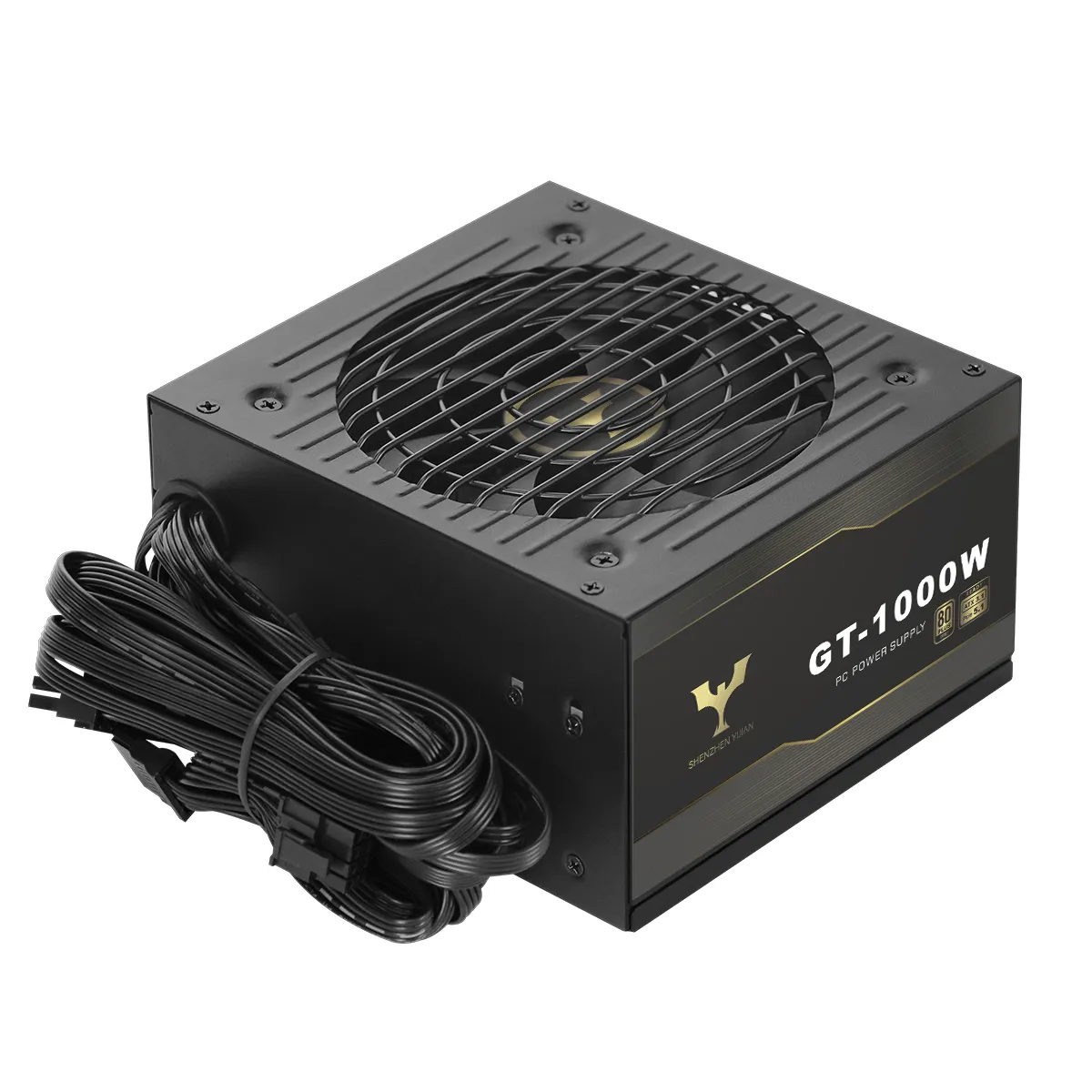
Before electrical testing, verify physical fit. Standard ATX dimensions are nominally 150mm (W) x 86mm (H) x 140-160mm (D) for most desktop units. The Yijian GT-1000W, for example, has dimensions of 140mm x 150mm x 86mm, while the GTJ-850W follows the same footprint. SFX and SFX-L form factors use smaller dimensions for compact builds and are not interchangeable with ATX chassis without adaptation. Verify that the PSU length does not exceed the maximum PSU cavity depth specified in the chassis documentation. For connector inventory, confirm the PSU provides the necessary quantity and type of connectors: 24-pin ATX motherboard connector, 4+4-pin CPU EPS connector(s), PCIe connectors for GPUs (8-pin, 16-pin 12VHPWR, or PCIe 5.1), SATA power, and peripheral (Molex) connectors as required. For full-modular designs, verify that the modular connector ports match the cables being used — cable compatibility varies between manufacturers and sometimes between models from the same manufacturer.
Electrical Compatibility Testing: Voltage Rails and Load Testing
Electrical compatibility testing should verify that the PSU's DC output rails remain within ATX specification tolerances under expected load conditions. The ATX standard specifies tolerance bands for each rail: the +12V rail should remain within +/-5% of its nominal value (11.4V–12.6V) under load; the +5V rail within +/-5% (4.75V–5.25V); the +3.3V rail within +/-5% (3.135V–3.465V). Use a multimeter at each rail's test point — or hardware monitoring software for in-system measurements — to verify output under both idle and loaded conditions. Load the system by running a sustained CPU and GPU stress test (CPU-Z, Prime95, Furmark, or equivalent) and confirm that rail voltages remain within tolerance throughout. If voltage drops outside tolerance under load, the PSU is either undersized for the system TDP, or the unit has output stability issues requiring investigation. For procurement qualification, a PSU that maintains stable output across 30 minutes of combined CPU+GPU full-load stress is a baseline reliability indicator.
Connector Pinout and Signal Compatibility
Beyond voltage levels, connector signal compatibility requires verification in certain scenarios. The ATX 24-pin connector carries power sense signals (PS_ON and PWR_OK) in addition to voltage lines. PS_ON is pulled low by the motherboard to turn the PSU on; PWR_OK is a signal from the PSU indicating stable output. Verify that the PSU's PWR_OK signal timing meets ATX specification (must go high within 100-500ms of stable output). For CPU power connectors, some high-TDP processors require dual 8-pin EPS connectors or a single 16-pin (12+4 pin) connector; confirm connector quantity and current ratings match the processor's power delivery requirements. For high-end GPU applications, native PCIe 5.1 connectors eliminate the adapter cable safety concerns associated with daisy-chaining older 6+2-pin cables to the new 12VHPWR standard. Yijian's PCIe 5.1 Ready models address this requirement with native connectors, relevant for systems using 50-series or later graphics cards.
Certification and Compliance Verification for Market Access
For buyers procuring ATX power supplies for resale or for deployment in specific markets, regulatory certification is an element of compatibility testing in the broadest sense. A PSU that operates correctly but lacks the certification required for the target market is not compatible with commercial deployment in that region. Verify which certifications the unit holds against the requirements of the target market: UL or FCC for the United States and Canada; CE and UKCA for Europe and the United Kingdom; EAC for Russia and the Eurasian Economic Union; PSE for Japan; KC for South Korea; CCC for mainland China; CB for international mutual recognition. Yijian's certified units carry UL, EAC, FCC, CE, CCC, RoHS, UKCA, CB, PSE, and KC certifications, which collectively cover the major market access requirements for global distribution. Additionally, verify that the PSU complies with RoHS (Restriction of Hazardous Substances) for EU market entry, as this is a prerequisite for CE marking on electrical equipment.
Practical Sourcing Scenario: ATX PSU Qualification for an Enterprise PC Fleet
A systems integrator was qualifying a new ATX power supply model for use across a 300-unit enterprise desktop rollout. The qualification process included five verification stages: physical fitment check across three chassis models used in the deployment; voltage rail measurement under idle and full stress load for at least 30 minutes; connector inventory audit against the standard motherboard and GPU configuration; certification document review confirming CE, RoHS, and FCC marks; and review of the supplier's production test report covering 30+ test items per production batch. The integrator tested the candidate PSU — an 80Plus Gold, full-modular ATX 3.1 unit — and confirmed +12V rail stability at 12.1–12.2V throughout stress testing, no voltage deviation beyond ±3% on secondary rails, and functional PS_ON and PWR_OK signal timing within ATX specification. Supplier documentation from Yijian confirmed 100% production testing, IQC procedures before and during production, a 7-year warranty, and a 1% spare parts supply per order for field stock. This qualification process took less than one week and enabled confident volume commitment.
Frequently Asked Questions
Q: How do I know if an ATX power supply is compatible with my motherboard?
A: Check three things: first, the ATX revision level — ATX 3.1 units are backward compatible with older motherboards. Second, confirm the 24-pin ATX connector and 4+4-pin CPU connector are present and correctly rated for your CPU TDP. Third, if your motherboard has a 20-pin ATX slot (found on older boards), most 24-pin PSU connectors can be used with the outer 4 pins left unconnected. If you are using a high-TDP processor (above 125W), verify that the PSU provides the required number of CPU power connectors.
Q: What is the minimum test duration for PSU compatibility under load?
A: For a basic qualification, 30 minutes of combined CPU and GPU full-load stress testing is a reasonable minimum. This duration allows the PSU to reach thermal equilibrium and surface any output instability related to thermal load. For enterprise procurement qualification, extending the test to 60 minutes and running it across at least 3 sample units provides a more statistically reliable baseline.
Q: Why does PCIe connector type matter for ATX power supply compatibility?
A: PCIe 5.0 and PCIe 5.1 graphics cards use the 12VHPWR (16-pin) connector, which supports up to 600W of GPU power delivery. Older 8-pin PCIe connectors are limited to 150W each. Using adapter cables to connect multiple 8-pin cables to a 12VHPWR connector introduces resistance, heat, and potential safety risks at high current. A PSU with native PCIe 5.1 connectors — such as those in Yijian's PCIe 5.1 Ready product line — provides the correct electrical interface without adaptation, reducing compatibility and safety risks in high-power GPU configurations.
Table of Contents
- Understanding ATX Standards and Revision Levels
- Physical Compatibility: Form Factor and Connector Inventory
- Electrical Compatibility Testing: Voltage Rails and Load Testing
- Connector Pinout and Signal Compatibility
- Certification and Compliance Verification for Market Access
- Practical Sourcing Scenario: ATX PSU Qualification for an Enterprise PC Fleet
- Frequently Asked Questions