 EN
EN

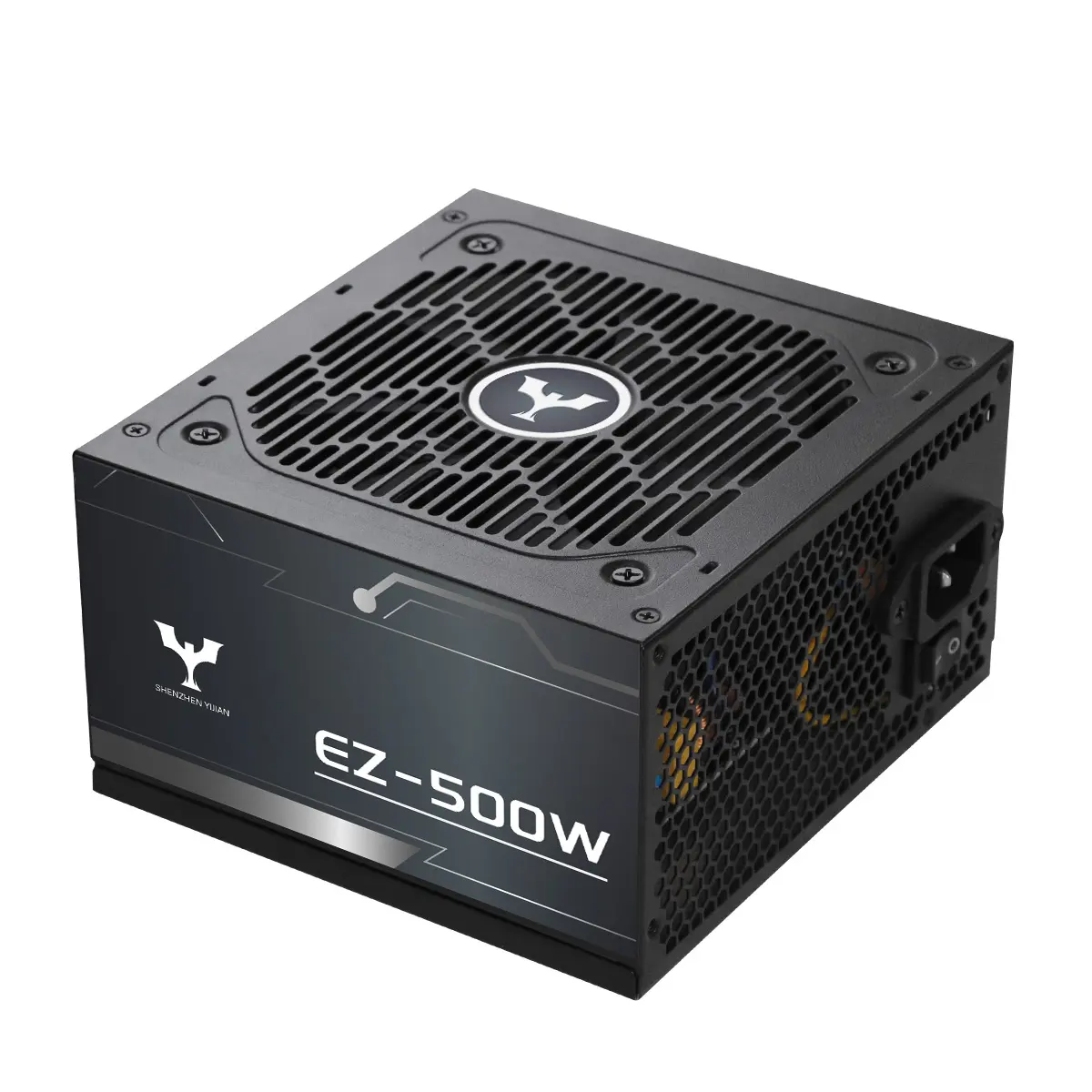
Computer power supply failures are among the most disruptive hardware events in any IT environment. Unlike CPU or RAM failures that typically generate software errors, a failing power supply can corrupt storage data, damage connected components, or cause unexpected shutdowns that interrupt critical processes. For procurement teams, IT managers, and system builders, understanding the root causes of PSU failure — and how to select and maintain supplies that resist them — is a practical risk management priority.
The Root Causes of Computer Power Supply Failure
Most computer power supply failures trace back to four primary causes: thermal stress, electrolytic capacitor degradation, inadequate protection circuits, and operating the unit outside its rated parameters. Thermal stress accumulates when airflow is insufficient or when the PSU consistently operates near 100% of its rated load, driving internal temperatures above the thermal design point. Electrolytic capacitors — the components that smooth DC output and filter ripple — degrade over time as temperature and cycle load cause them to lose capacitance and increase internal resistance. A PSU built with 105°C-rated Japanese capacitors from established brands such as RUBYCON, NIPPON CHEMI-CON, or NICHICON demonstrates significantly higher thermal tolerance than units using generic 85°C capacitors, extending the period before output ripple begins affecting connected hardware. Protection circuit failures are a third cause: units lacking proper OVP (over-voltage protection), UVP (under-voltage protection), OCP (over-current protection), SCP (short-circuit protection), and OTP (over-temperature protection) cannot safely shut down under fault conditions, allowing failure to propagate to downstream components. Operating a PSU chronically at 95–100% of rated load is a fourth risk factor, as continuous high-load operation accelerates all the above degradation mechanisms.
How Fan Design and Thermal Management Prevent Premature Failure
The cooling fan is the most mechanically active component in a computer power supply, and its failure mode often precedes or causes internal thermal failure. A fan that operates at a fixed high speed generates continuous bearing wear and contributes to PSU case temperatures that degrade capacitors and other internal components. Intelligent temperature-controlled fan designs — where fan speed scales proportionally with internal temperature and load — are more reliable over long operating periods. Yijian's designs use a 12CM hydraulic bearing fan with intelligent temperature control, specified to produce less than 30 dB(A) noise at full load under 40°C ambient temperature. The I-STOP (one-touch start-stop) feature allows the fan to remain off when the system operates at low loads, eliminating spin-up and spin-down cycles that cause bearing fatigue. For buyers evaluating suppliers, requesting fan bearing type (hydraulic, fluid dynamic, sleeve) and maximum rated noise level at defined temperature conditions provides a meaningful basis for reliability comparison.
EMI Filtering, Active PFC, and Input Protection
A frequently overlooked contributor to computer power supply failures is electromagnetic interference from external sources or from within the system itself. Power lines carry voltage spikes, transients, and harmonic distortion that enter the PSU through the AC input. A single-layer EMI filter provides basic noise rejection; two-layer EMI filtering — as implemented in Yijian's designs — provides greater attenuation of conducted interference, reduces the EMI the PSU emits back onto the power line, and supports CE compliance under European electromagnetic compatibility directives. Active Power Factor Correction (Active PFC) complements EMI filtering by correcting the phase relationship between voltage and current, reducing reactive power consumption, and maintaining stable input behavior across wide voltage ranges (100–240VAC, 50-60Hz). For computer power supply installations in markets with variable grid quality — common in industrial facilities, multi-tenant buildings, or export destinations with less regulated utility infrastructure — Active PFC provides measurable input stability benefits that reduce stress on internal components.
Topology Selection and Its Effect on Long-Term Reliability
Circuit topology determines not only efficiency but also how electrical stress is distributed within the PSU. Two-transistor forward topologies, while cost-effective, place higher switching stress on output-side components and tend to generate more thermal loss at moderate and high loads. LLC (inductor-inductor-capacitor) resonant conversion, combined with synchronous rectification and a DC-DC stage for the secondary rails, distributes switching loss more evenly, reduces output ripple, and achieves higher efficiency across load ranges. Yijian's product line uses LLC resonance combined with synchronous rectification and DC-DC conversion — a topology that contributes to 90% efficiency at rated load in their 80Plus Gold certified units and reduces the thermal stress on output-side capacitors and rectifiers. For buyers who need to minimize field returns and warranty claims, selecting a PSU with a premium topology is not an aesthetic specification — it is a direct input to MTBF (mean time between failure) outcomes.
Pre-Installation and Operational Best Practices to Extend PSU Life
Even a high-quality computer power supply will fail prematurely if deployed without basic operational discipline. Several practices consistently extend service life: First, size the PSU so that typical system load falls between 50% and 80% of rated capacity. This operating window maximizes efficiency and reduces continuous thermal output from within the unit. Second, ensure chassis airflow supports PSU cooling. Most ATX PSUs are designed to exhaust heat through the rear panel; blocking this exhaust with cable bundles or poor rack positioning traps heat internally. Third, use the PSU within its rated input voltage range. Yijian's units are specified for 100–240VAC input, which covers global power standards; however, consistently supplying power at the extremes of this range (e.g., 100VAC environments with significant voltage sag) increases input-side stress. Fourth, conduct scheduled inspection in high-density or server-adjacent installations — check fan operation, listen for bearing noise, and verify output voltage stability with a multimeter annually. Identifying early warning signs before they become failures avoids unplanned downtime.
Practical Sourcing Scenario: Reducing Field Failures in Industrial PC Deployments
An industrial automation integrator deploying embedded computing systems across factory floor workstations experienced higher-than-expected PSU field failure rates. Fault analysis traced failures to three causes: generic 85°C capacitors degrading under elevated ambient temperatures, single-layer EMI filters allowing grid-borne transients to damage internal circuits, and fan bearing failures in units running at high, constant RPM. When re-specifying PSU requirements, the integrator added three clauses: 105°C Japanese capacitor specification required, dual-layer EMI filtering mandatory, and hydraulic bearing fan required with temperature-controlled speed. Units meeting these specifications — such as Yijian's Gold-certified models that incorporate all three features — showed substantially lower failure rates in the subsequent deployment cycle. The integrator also required supplier-provided production test reports covering at least 30 defined test items per batch and 8D corrective action report capability within 24 hours of any field failure notification. This sourcing adjustment reduced total replacement costs and unplanned downtime incidents significantly in the following year.
Frequently Asked Questions
Q: What are the most common warning signs of a failing computer power supply?
A: Common indicators include random system shutdowns or reboots, especially under load; burning smell near the PSU exhaust; unusual fan noise (grinding, rattling, or fan not spinning when expected); voltage instability on the 12V or 5V rails detected via hardware monitoring software; and system POST failures that resolve when PSU load is reduced. Any of these signs warrant investigation before complete failure occurs.
Q: How does operating a PSU near 100% load damage it?
A: Continuous operation at or above 90-100% of rated load keeps internal temperatures at their maximum design point without thermal headroom. This accelerates electrolytic capacitor aging, increases thermal stress on switching transistors and diodes, and reduces fan bearing lifespan. The result is an earlier onset of the failure mechanisms described above. Sizing the PSU to operate at 50-80% of rated capacity under typical loads avoids this degradation pathway.
Q: What certifications indicate a computer power supply has credible protection circuits?
A: Look for UL (North America), CE (Europe), and CB (international safety). These certifications require functional verification of protection circuits including OVP, OCP, SCP, and OTP. They do not guarantee reliability over time, but they confirm the protection circuits met defined functional requirements at production. Supplementary to certifications, review the supplier's production testing documentation to verify the protection circuits are tested individually per unit, not just at sample level.
Table of Contents
- The Root Causes of Computer Power Supply Failure
- How Fan Design and Thermal Management Prevent Premature Failure
- EMI Filtering, Active PFC, and Input Protection
- Topology Selection and Its Effect on Long-Term Reliability
- Pre-Installation and Operational Best Practices to Extend PSU Life
- Practical Sourcing Scenario: Reducing Field Failures in Industrial PC Deployments
- Frequently Asked Questions