 EN
EN

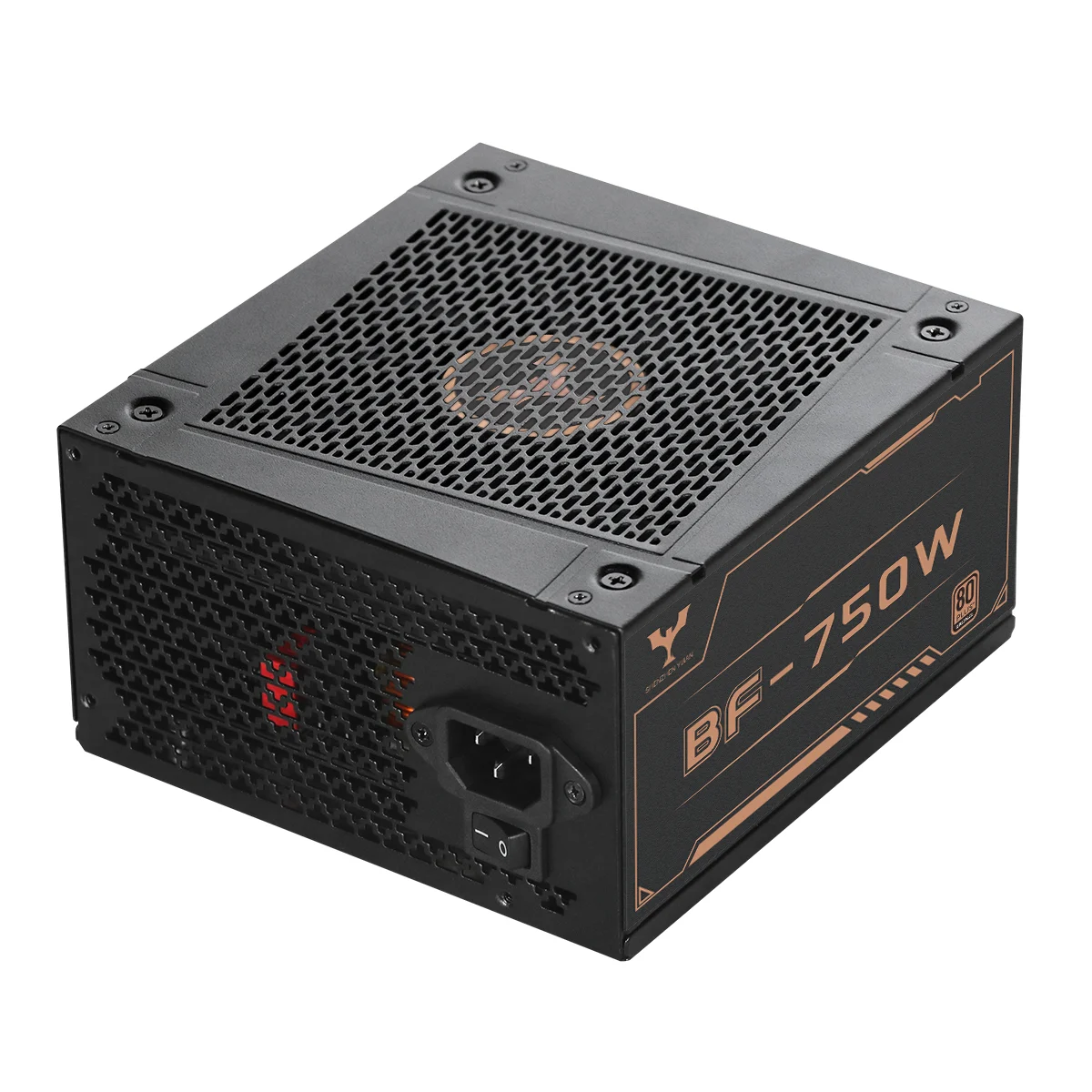
Mastering the Blueprint for Safely Installing a Computer Power Supply
When building or upgrading a custom desktop rig, piecing together the internal components usually feels like a straightforward puzzle. Yet, after spending years working across professional hardware integration benches, electronics assembly floors, and technical support workshops, it becomes clear that many high-end systems fail to boot or suffer sudden component damage simply due to improper power supply installation. The power supply unit serves as the heavy-duty gateway of any computer, stepping down and regulating household electricity into steady direct current rails. Getting this installation right goes far beyond plugging in a few cables. It is a vital technical procedure that protects sensitive silicon, prevents hazardous electrical shorts, and guarantees long-term system stability for users around the globe.
Essential Grounding and Environmental Preparation Before Assembly
Before ever reaching for a screwdriver, unboxing hardware, or touching a single cable, proper system building demands strict attention to electrostatic discharge safety and workspace preparation. Global electronics manufacturing standards show that even tiny static shocks—often completely invisible and imperceptible to human touch—can permanently weaken or destroy delicate semiconductor junctions inside modern power supplies and computer motherboards. Technicians should always operate on clean, non-conductive, grounded workbenches while wearing certified anti-static wrist straps linked directly to earth ground. Checking the surrounding area for moisture, flipping the power supply rocker switch firmly to the off position, and keeping the unit unplugged from the wall outlet form the fundamental first line of defense for a secure setup.
Chassis Integration, Thermal Management, and Airflow Dynamics
Once the workspace is properly prepared, fitting the power supply into the computer chassis requires a close eye on mechanical alignment and cooling dynamics. Modern desktop enclosures generally feature bottom-mounted power supply chambers, which let the internal cooling fan pull fresh ambient air directly from outside the bottom of the case instead of recycling warm air trapped around the graphics card. Aligning the screw holes perfectly, securing the unit with every designated mounting screw to stop vibration resonance, and mapping out neat rear cable channels are essential steps. Keeping cables clear prevents any physical obstruction to the fan blades and maintains smooth, uninterrupted airflow, preserving the thermal efficiency of the entire rig.
Pinout Precision and Modular Cable Compatibility Rules
One of the riskiest pitfalls during any hardware build involves careless cable management and mismatched modular pinouts. Experienced builders know that swapping modular cables between different power supply brands, generations, or even separate product series—even when the plastic connectors look identical—can easily reverse electrical polarity and cause instant hardware destruction. Every single connection, from the main motherboard power plug and heavy processor lines down to modern graphics card interfaces, must be pushed in firmly until the retention clips click into place. Relying strictly on manufacturer-certified cables safeguards the sensitive rails from dangerous voltage spikes and severe overcurrent problems.
Systematic Diagnostic Checks and Initial Power-On Procedures
With all internal components securely bolted down, thermal paste applied, and wiring cleanly managed, the final installation phase moves to pre-boot diagnostics. Before closing up the side panel, builders should double-check every plug, make sure no stray wires brush against moving fan blades, and verify that any manual voltage selectors match local power grids. Running an initial power check lets the technician watch motherboard diagnostic lights, listen closely for unusual fan noise, and check digital voltage readouts in the system BIOS. Testing with light workloads before diving into heavy gaming or demanding rendering tasks ensures all built-in protection circuits operate smoothly.
Long-Term System Maintenance and Environmental Monitoring
Even after a flawless installation and successful initial boot, the long-term reliability of a computer power supply depends heavily on ongoing maintenance and environmental care. Dust buildup inside a chassis can choke airflow through the intake grilles, pushing operating temperatures higher and wearing down components prematurely. Regular cleaning with compressed air, keeping an eye on software telemetry for sudden voltage drops, and ensuring decent room ventilation are key practices for stretching hardware lifespan. Combining clean installation methods with tough, resilient power supplies gives users and builders absolute peace of mind.
Global Compliance Standards for Commercial Hardware Procurement
For commercial distributors, system integrators, and enterprise procurement teams, choosing the right hardware goes far beyond basic installation instructions into the world of global compliance. Ensuring that power units meet rigorous international safety certifications—such as comprehensive electrical safety and electromagnetic compatibility standards—guarantees that every piece of hardware meets strict regulatory thresholds. Demanding transparent manufacturing, clear quality documentation, and solid supply chain reliability helps businesses minimize operational risks and build lasting customer trust across competitive global markets.
Engineering Excellence and Manufacturing Strength for Global Brands
Ultimately, a safe and reliable computer build relies just as much on the underlying engineering quality of the hardware as it does on careful installation techniques. For system integrators and global brands looking for dependable components, sourcing from certified, world-class manufacturing partners makes all the difference. Yijian exemplifies this dedication to safety and excellence through decades of dedicated power supply research and development, ISO-certified production facilities, extensive patent portfolios, and robust manufacturing capacities. By blending professional installation practices with rugged, fault-tolerant hardware engineering, brands everywhere can deliver exceptionally reliable computing power with complete market confidence.
Table of Contents
- Mastering the Blueprint for Safely Installing a Computer Power Supply
- Essential Grounding and Environmental Preparation Before Assembly
- Chassis Integration, Thermal Management, and Airflow Dynamics
- Pinout Precision and Modular Cable Compatibility Rules
- Systematic Diagnostic Checks and Initial Power-On Procedures
- Long-Term System Maintenance and Environmental Monitoring
- Global Compliance Standards for Commercial Hardware Procurement
- Engineering Excellence and Manufacturing Strength for Global Brands