 EN
EN

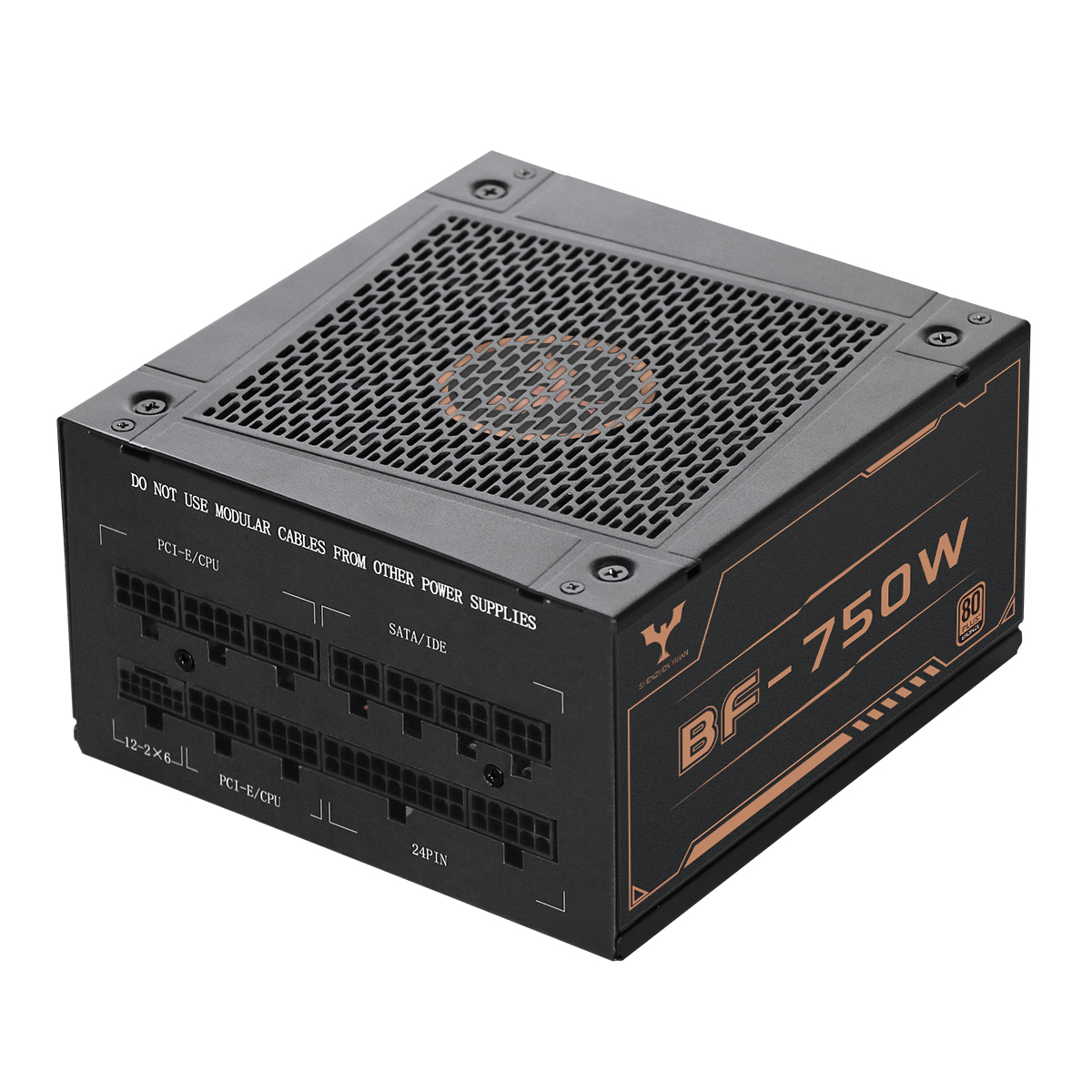
Understanding Workstation Power Demands
How GPUs, CPUs, RAM, and Storage Drive Sustained Power Draw
Workstation components operate at near-maximum capacity for prolonged periods during intensive tasks like 3D rendering or AI training. High-core-count CPUs draw 200–350 W continuously under multithreaded simulation loads, while professional GPUs consume 300–450 W each during sustained rendering—scaling linearly in multi-GPU configurations. RAM contributes modestly (5–10 W per 128 GB kit), and NVMe SSDs draw 5–15 W during active transfers. Unlike consumer systems, these loads persist for hours—not seconds—creating cumulative power demands that far exceed typical desktop usage:
| Component | Power Draw Range | Operational Impact |
|---|---|---|
| CPU | 200–350W | Sustained multithreaded processing |
| GPU | 300–450W per unit | Continuous rendering/compute load |
| RAM | 5–10W per 128GB | Background data buffering |
| NVMe SSD | 5–15W per drive | Active read/write operations |
Why Workstations Demand More Than Peak Gaming PC Loads
Gaming PCs experience brief, variable power spikes—typically cycling between 30–80% utilization depending on scene complexity—while workstations maintain 90–100% component utilization for hours during scientific modeling, video encoding, or large-scale AI inference. This unrelenting electrical demand generates continuous thermal stress, directly challenging voltage regulation and long-term stability. Enterprise hardware failure rates increase by 18% when thermal thresholds are exceeded (Ponemon Institute, 2023), underscoring why workstation PSUs must be engineered for endurance—not just peak output.
Calculating the Right PC Power Supply Wattage
Applying the 50% Optimal Load Rule for Efficiency and Longevity
Operating a PSU near 50% of its rated capacity maximizes efficiency, minimizes heat generation, and extends service life—especially critical for workstations running 24/7 compute loads. Industry efficiency curves show 80 PLUS Platinum and Gold units deliver peak efficiency (90–94%) at ~50% load, dropping to ≤85% near full capacity. Lower thermal stress also reduces fan noise and slows capacitor aging. For example, a system drawing 450 W continuously benefits most from a 900 W PSU: this provides headroom for transient spikes without sacrificing efficiency or longevity.
Step-by-Step Wattage Estimation: TDP Sum + Real-World Headroom
Accurate wattage estimation begins with summing component Thermal Design Power (TDP) values—but TDP alone is insufficient. Real-world power consumption regularly exceeds TDP by 15–25% during multi-threaded or GPU-accelerated workloads (Intel & AMD white papers, 2022–2023). Follow this validated approach:
- Core components: Add CPU + GPU TDP (e.g., 150 W CPU + 250 W GPU = 400 W base)
- Peripherals: Include RAM (5 W/DIMM), NVMe SSDs (10 W/drive), HDDs (25 W/unit), and cooling (5–30 W/fan)
- Peak adjustment: Apply 20–30% headroom to total for transients (e.g., 500 W × 1.3 = 650 W)
- Future readiness: Add 100–150 W reserve if planning GPU, storage, or PCIe accelerator upgrades
Online calculators can assist—but always cross-check results against manual TDP-based estimates, as many over-index on gaming scenarios and understate workstation duty cycles.
Workstation-Specific PSU Reliability Factors
Sustained Thermal Loads, Voltage Stability, and Enterprise Failure Data
Workstations impose unique reliability demands: continuous operation under heavy computational loads subjects PSUs to sustained thermal stress—often exceeding 50°C internally for hours. Each 10°C rise above rated operating temperature halves electrolytic capacitor lifespan, directly impacting long-term stability. Voltage regulation must remain within ±1% tolerance during multi-GPU rendering or scientific computation to prevent crashes or silent data corruption. Enterprise field data shows PSUs built with Japanese 105°C-rated capacitors and MOSFETs derated to 70% of maximum capacity exhibit 60% lower failure rates over five-year deployments. In environments prone to dust or humidity, sealed chassis designs and industrial-grade air filtration further mitigate degradation risks inherent in 24/7 operation.
Selecting a Compatible and Future-Ready PC Power Supply
Choosing the right PSU for workstations requires balancing present performance with long-term scalability. Prioritize these enterprise-critical factors:
- Compatibility Standards: ATX 3.1 compliance and native 12VHPWR support are essential for next-gen GPUs—eliminating reliance on fragile adapter cables that introduce failure points and voltage drop.
- Efficiency Headroom: Choose 80 PLUS Gold or Platinum units with at least 20–30% more wattage than your calculated peak load to absorb transients and accommodate future upgrades.
- Modular Design: Semi- or fully modular cabling improves airflow, simplifies thermal management, and enables clean expansion for additional storage arrays or GPU risers.
- Longevity Features: Look for Japanese capacitors rated for ≥10 years at 105°C and comprehensive protection circuits (OCP, OVP, SCP, OTP) certified to IEC/UL 62368-1 standards.
PSUs meeting ATX 3.1 specifications demonstrate 40% faster transient response during sudden 200% load surges—a common occurrence during AI model checkpointing or real-time ray tracing. Emerging GaN-based designs further reduce energy waste by up to 25% versus legacy silicon topologies, supporting both sustainability goals and tighter thermal envelopes. Investing in a properly sized, enterprise-grade PSU prevents costly downtime and ensures seamless integration of PCIe 5.0 SSDs, compute accelerators, and upcoming high-power peripherals.
FAQs
What is the typical power draw for workstation components?
Workstations have high power demands, with CPUs drawing 200–350 W and GPUs 300–450 W each, depending on workload. RAM and NVMe SSDs consume 5–10 W and 5–15 W, respectively, during active use.
Why do workstations require more power than gaming PCs?
Workstations maintain constant high utilization (90–100%) for tasks like scientific modeling, unlike gaming PCs which have variable power spikes. This leads to continuous thermal stress and necessitates durable power supplies.
How do I calculate the correct PSU wattage for my workstation?
Start by summing the Thermal Design Power (TDP) of core components like CPU and GPU. Consider adding 20–30% extra for transient spikes and future readiness by planning for potential upgrades.
What features should I look for in a workstation PSU?
Choose a PSU that complies with ATX 3.1 standards, preferably 80 PLUS Gold or Platinum, with modular design and Japanese capacitors rated for high temperature. It's crucial for it to have protection circuits for sustained operational reliability.