 EN
EN

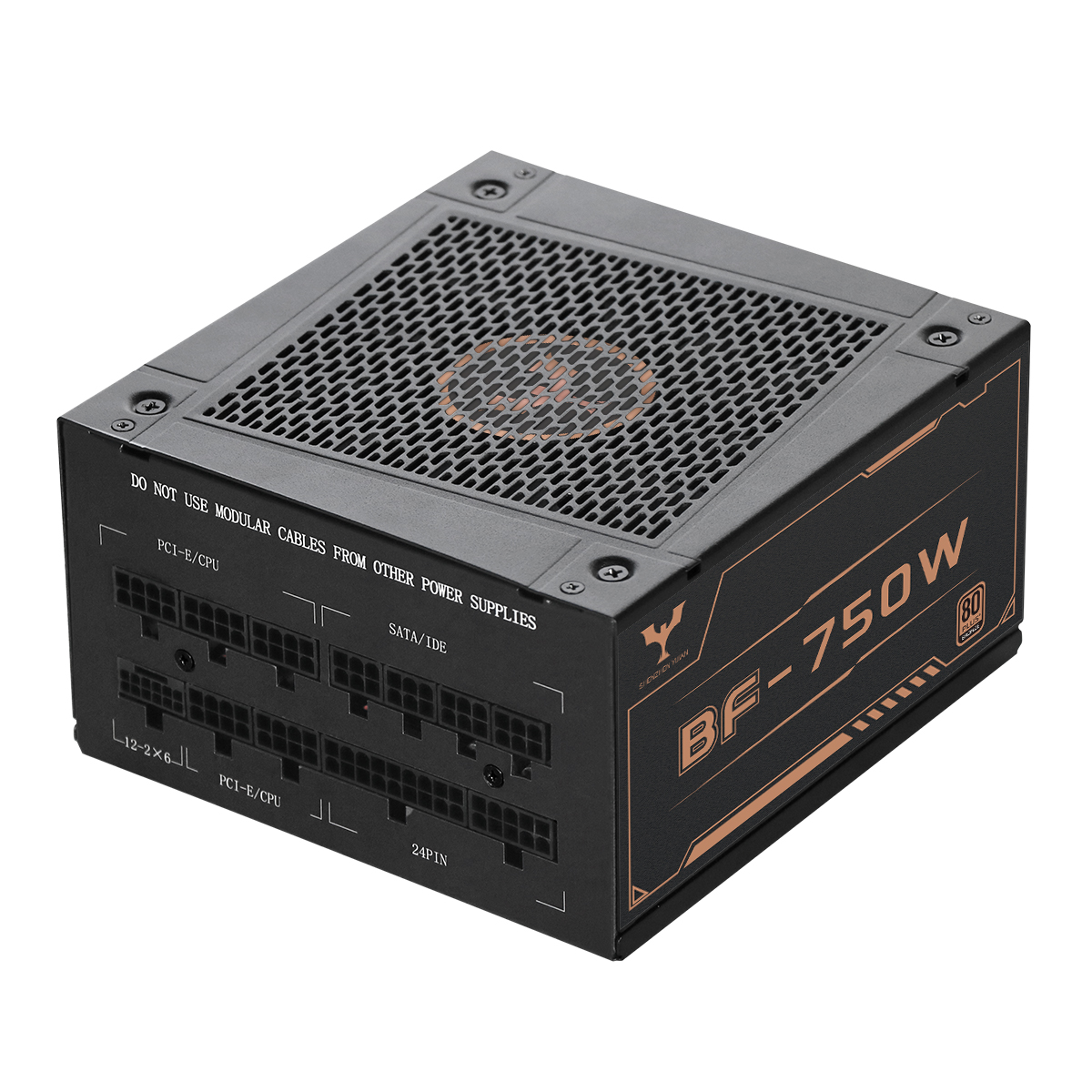
Office Workload Analysis: Matching Computer Power Supply Wattage to Real-Use Scenarios
Typical office system wattage profiles (i3/i5 desktops, integrated graphics, peripherals)
Modern office workstations—built around Intel i3/i5 CPUs with integrated graphics—typically draw 80–150W during active use. Component-level power consumption breaks down as follows:
- CPUs: 35–65W TDP
- Integrated graphics: 15–30W
- RAM and SSDs: 5–10W combined
- Dual monitors, docking stations, and USB peripherals: 30–50W
Peak loads (e.g., boot, OS updates, antivirus scans) rarely exceed 200W, while idle states settle at 40–60W. This narrow operational window is central to smart PSU sizing.
Why 300–500W is optimal for 95% of office deployments (with OEM load data from Dell/Lenovo)
A 300–500W power supply provides the ideal balance of headroom, efficiency, and cost for standard office deployments. Industry data from Dell and Lenovo confirms that pre-built business desktops ship predominantly with 350–450W units—reflecting real-world validation across millions of units. This range delivers 20–30% headroom over typical peak loads, accommodating:
- Peripheral expansions (external drives, USB-C hubs, VoIP phones),
- Brief CPU turbo boosts during multitasking, and
- Future upgrades like additional RAM or NVMe storage—without requiring a full PSU replacement.
The hidden cost of over-provisioning: heat, noise, and efficiency drop below 20% load
Oversizing beyond this range introduces tangible downsides. Power supplies operating consistently below 20% load—common in offices where average draw sits at ~100W—suffer measurable losses:
- Efficiency drops 10–15% (Ponemon Institute, 2023),
- Fanless or low-noise modes disengage, increasing acoustic output by 8–12 dBA,
- Conversion inefficiencies raise internal heat generation by ~18%, elevating ambient cooling demands.
ERP-compliant modeling estimates these inefficiencies add $38/year per 50-workstation deployment—purely from wasted energy and excess thermal management overhead.
Computer Power Supply Efficiency: Decoding 80 Plus Ratings for Office Energy Savings
Bronze vs. Gold vs. Titanium: annual energy cost impact across a 50-unit office (ERP-compliant modeling)
80 Plus certification tiers directly shape long-term energy costs. For a 50-workstation office running 300W systems 10 hours/day:
- Bronze (82–85% efficiency at 20/50/100% load): ~$1,200/year
- Gold (87–90%): saves ~12% ($144/year) versus Bronze
- Titanium (90–94%): adds only 3–5% further savings over Gold
Higher efficiency reduces waste heat, lowering HVAC loads and extending component life. Yet ROI diminishes sharply in office environments—where sustained loads rarely exceed 40%—making marginal gains from Titanium difficult to justify financially or thermally.
When higher-tier certification adds value—and when it’s unnecessary overhead for general office use
For standard office hardware (i3/i5 CPUs, integrated graphics, light multitasking), efficiency tier selection should align with usage reality—not theoretical maximums:
- Bronze meets all functional and safety requirements for 90% of deployments,
- Gold becomes cost-effective only where electricity exceeds $0.20/kWh—or in high-density, always-on environments like call centers,
- Titanium is reserved for 24/7 infrastructure (e.g., small-server nodes), not general-purpose desktops.
The efficiency curve flattens significantly below 50% load—the typical office operating zone—meaning mid-tier units deliver the strongest balance of performance, longevity, and payback:
| Certification | Price Premium | Payback Period |
|---|---|---|
| Bronze | Baseline | N/A |
| Gold | 15–25% | 3–5 years |
| Titanium | 40–60% | 8+ years |
Reliability, Safety, and Long-Term Stability in Office Computer Power Supply Deployment
In office environments, reliability and safety are non-negotiable—not just technical specs. Industrial-grade capacitors and reinforced transformers ensure stable voltage regulation across daily 8–12 hour work cycles, preventing data corruption and unexpected reboots. Comprehensive protection circuits (OVP, OCP, SCP, OTP) guard against surges, short circuits, and thermal overload—critical given that power-related failures cause 35% of unplanned IT downtime.
Certifications like UL 62368-1 and CE EN 62368-1 validate rigorous testing for sustained operation under real-world conditions—not just lab peaks. Combined with intelligent thermal management, these features support 5–7 year lifespans without performance degradation, reducing e-waste and total cost of ownership. For businesses, this translates directly to uninterrupted productivity and fewer service interventions.
Thermal Management and Protection Features for Sustained Office Operation
Fanless, semi-passive, and variable-speed cooling: acoustic and thermal benchmarks at 30–45°C ambient
Thermal design must match the office’s physical environment—not server-room extremes. At ambient temperatures of 30–45°C:
- Fanless PSUs deliver absolute silence but are viable only up to ~300W and require ambient temps under 35°C—limiting practicality in warmer climates or poorly ventilated spaces.
- Semi-passive units remain silent below ~20–40% load (i.e., during email, browsing, document editing), engaging fans only during heavier tasks—cutting noise by up to 15 dBA versus conventional models.
- Variable-speed designs use thermostatic control to adjust fan RPM dynamically, maintaining critical components below 85°C even at 45°C ambient while reducing acoustic output by 30% compared to fixed-speed alternatives.
Proper implementation prevents thermal throttling and extends PSU service life by 2–3 years—especially valuable in high-utilization office settings where consistent uptime outweighs marginal efficiency gains.
FAQ
What is the typical power consumption of office systems with i3/i5 CPUs?
Office systems built around i3/i5 CPUs with integrated graphics typically consume 80–150W during active use. Peak loads can reach up to 200W.
How does power supply wattage affect office computer performance?
A power supply in the 300–500W range offers optimal balance, providing headroom for expansions and upgrades without oversizing, which can lead to efficiency losses.
What are the disadvantages of an oversized power supply?
Over-provisioned power supplies operating below 20% load can suffer from reduced efficiency, increased noise, and higher heat generation.
How do 80 Plus certification tiers impact energy costs?
Certification impacts costs by varying efficiency rates; for instance, Gold certification generally offers a 12% energy cost savings over Bronze in a typical office setup.
When should higher-tier 80 Plus certifications be considered for office use?
Gold certification is cost-effective in environments where electricity costs are high or equipment operates continuously, like in call centers.
Table of Contents
- Office Workload Analysis: Matching Computer Power Supply Wattage to Real-Use Scenarios
- Computer Power Supply Efficiency: Decoding 80 Plus Ratings for Office Energy Savings
- Reliability, Safety, and Long-Term Stability in Office Computer Power Supply Deployment
- Thermal Management and Protection Features for Sustained Office Operation
-
FAQ
- What is the typical power consumption of office systems with i3/i5 CPUs?
- How does power supply wattage affect office computer performance?
- What are the disadvantages of an oversized power supply?
- How do 80 Plus certification tiers impact energy costs?
- When should higher-tier 80 Plus certifications be considered for office use?