 EN
EN

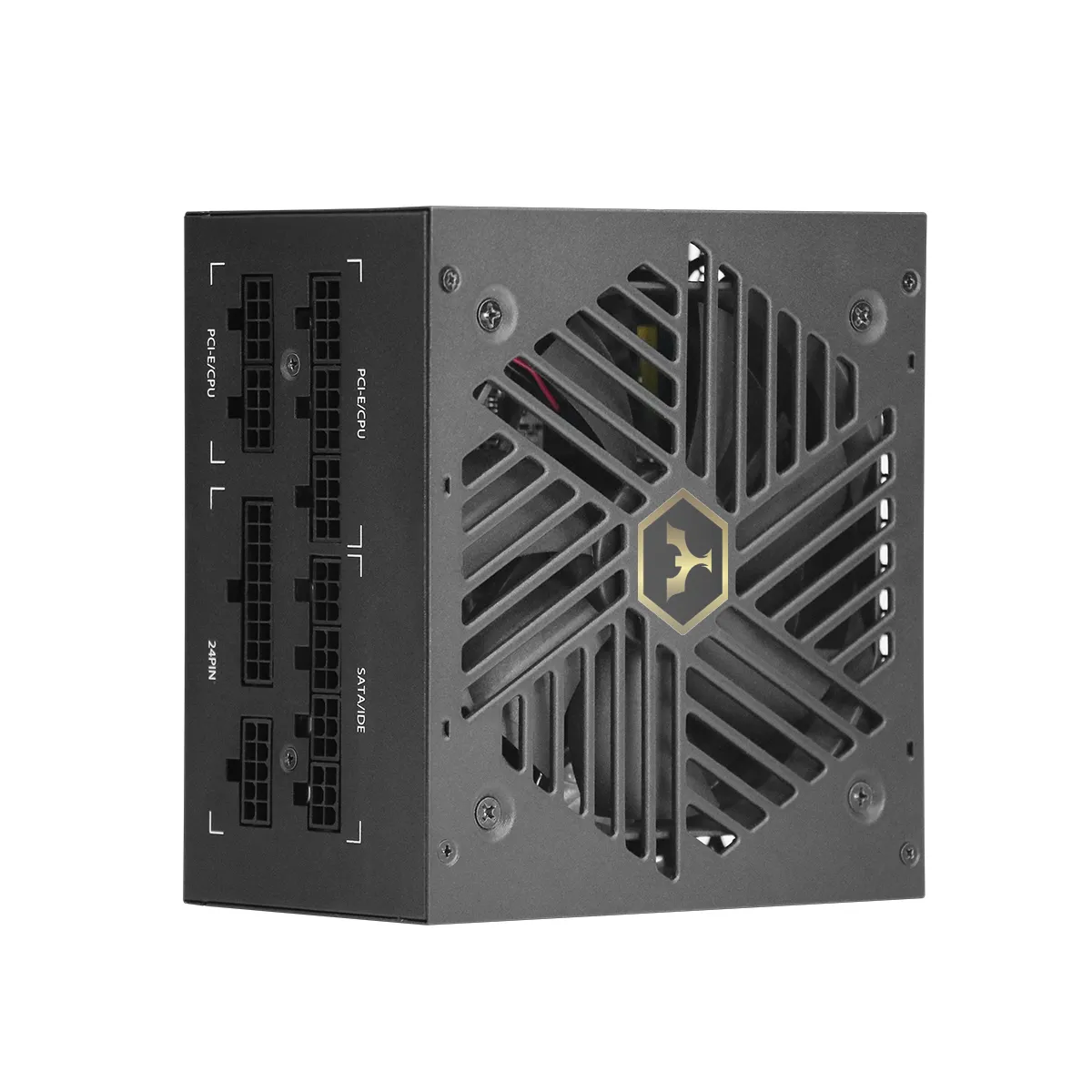
Understanding Typical Desktop Power Consumption
Office and Productivity Workloads: Real-World CPU, GPU, and Peripheral Draw
Modern office desktops rarely exceed 100W during document editing, web browsing, or video conferencing. Integrated graphics (e.g., Intel UHD or AMD Radeon Vega) draw just 5–15W in these scenarios, while mainstream CPUs like the Intel Core i5 operate at 15–30W under typical loads. Keyboards, mice, and basic USB accessories add ≤3W combined—negligible in system-level planning. This contrasts sharply with gaming rigs, where discrete GPUs alone can consume 200–350W. Three standard office systems use less power than a single high-end gaming PC during routine tasks—highlighting why oversized PSUs are unnecessary and inefficient for productivity use.
Why Low-Load Efficiency (<40% Utilization) Matters Most for Daily-Use Desktop Power Supply Selection
Office desktops spend ~90% of their time operating at 20–40% PSU load—making low-load efficiency the defining factor in long-term energy use and reliability. Choose an 80 PLUS Gold or Platinum unit, which maintains >90% efficiency in this critical range. A mismatched 500W PSU powering a 150W system wastes 15–25% more energy at low loads than a properly sized 300W model. Over an 8-hour workday, that 10% efficiency gap adds $18+ annually in electricity costs (U.S. average rates). Undersizing risks instability; oversizing sacrifices efficiency. The 40% utilization threshold represents the optimal balance of reliability, thermal management, and operational cost.
How to Calculate the Right Desktop Power Supply Wattage
Step-by-Step Wattage Estimation Using Component Specifications and Benchmarks
Start with real-world peak draws—not just TDPs. Use manufacturer-specified maximum power consumption for each component:
- CPU: Refer to sustained all-core boost power (e.g., Intel PL2 or AMD PPT), not base TDP
- GPU: Consult board partner specs (e.g., ASUS, MSI) under full load—not reference design numbers
- Storage/Peripherals: Budget 10–15W per SATA/NVMe drive and 5–10W per high-power USB-C PD device
Benchmark data consistently shows simultaneous CPU+GPU workloads exceed theoretical sums—e.g., a 150W CPU + 200W GPU build may spike to 400W in practice. After totaling component peaks, add 20–30% headroom. This buffer absorbs transient spikes, compensates for aging components, and avoids running the PSU near its thermal and electrical limits.
Navigating PC Power Supply Calculator Tools: When to Trust (and When to Adjust)
Reputable online calculators—such as those from OuterVision or Cooler Master—can accelerate estimation if they incorporate real-world benchmark data, distinguish between idle/gaming/stress-test profiles, and model efficiency curves across ambient temperatures. However, adjust outputs when:
- Components are overclocked (add 15–20% extra)
- You plan near-term upgrades (e.g., GPU replacement or additional NVMe drives)
- The tool omits USB-C PD peripherals or M.2 storage power draw
As outlined in Corsair’s 2025 PSU Selection Guide, top-tier calculators achieve ~90% accuracy for stock builds but underestimate specialized or future-upgraded systems by 10–25%. Always cross-check with manual estimates—and prioritize headroom over precision to prevent premature failure.
Optimal Headroom for Reliability and Long-Term Efficiency
The 20–30% Headroom Rule for Daily-Use Desktop Power Supply Systems
Aim for a PSU rated 20–30% above your system’s verified peak draw. This ensures operation within the 40–60% load sweet spot—where efficiency peaks, heat generation drops significantly, and capacitor stress is minimized. For a 200W office system, a 250–260W 80 PLUS Gold unit delivers ideal performance, longevity, and energy savings. Future-proofing matters: adding two drives, upgrading RAM, or integrating AI-accelerated peripherals could raise demand by 25% within two years. That modest headroom investment pays back through lower failure rates, quieter operation, and measurable energy savings across the PSU’s typical 5–7 year service life.
FAQ
What is the typical power consumption of a modern office desktop?
Modern office desktops typically consume less than 100W during standard tasks such as document editing, web browsing, or video conferencing.
Why is low-load efficiency important for desktop power supplies?
Low-load efficiency is crucial because office desktops operate at 20–40% PSU load most of the time. A power supply with high efficiency at these levels helps in reducing long-term energy use and operating costs.
How can I calculate the right wattage for my desktop’s power supply?
Calculate the right wattage by considering the maximum power consumption of each component and adding 20–30% headroom for efficiency and future upgrades.
What role do online PC power supply calculators play in wattage estimation?
Online calculators can provide quick estimates if they use real-world benchmarks and efficiency models. However, they may need adjustments for overclocked components or future upgrades.
Why is headroom important in selecting a power supply unit?
Having headroom of 20–30% above the peak power consumption ensures optimal efficiency, reduced heat, and longevity, allowing room for upgrades and mitigating failures.
Table of Contents
- Understanding Typical Desktop Power Consumption
- How to Calculate the Right Desktop Power Supply Wattage
- Optimal Headroom for Reliability and Long-Term Efficiency
-
FAQ
- What is the typical power consumption of a modern office desktop?
- Why is low-load efficiency important for desktop power supplies?
- How can I calculate the right wattage for my desktop’s power supply?
- What role do online PC power supply calculators play in wattage estimation?
- Why is headroom important in selecting a power supply unit?