 EN
EN

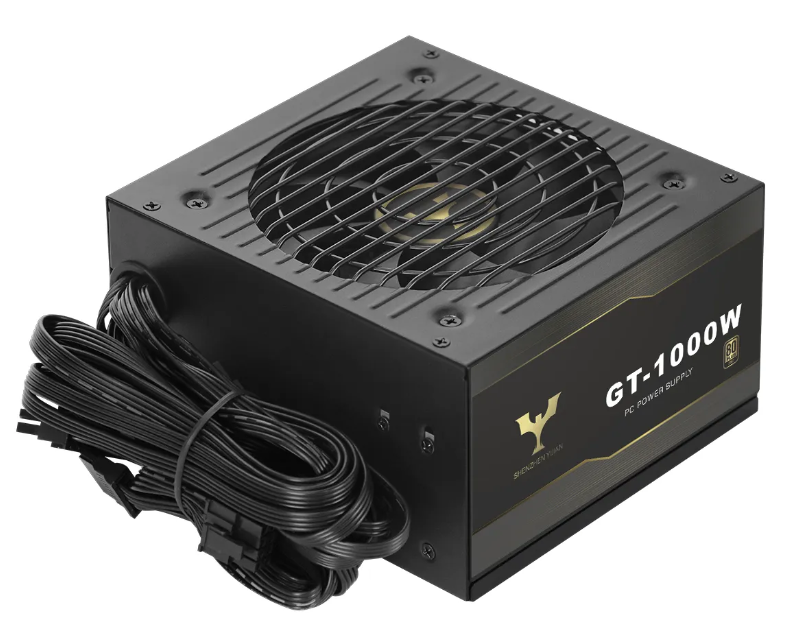
How Modular Power Supply Design Enables Precision Cable Management
Modular power supply units revolutionize cable management through selective deployment—builders connect only the cables they need, eliminating unused wiring clutter at its source. This targeted approach creates unobstructed airflow pathways while maintaining reliable power delivery to critical components like the motherboard and CPU.
Selective cable deployment: Eliminating unused cables at the source
Old school non-modular power supplies really give installers a headache when it comes to managing all those extra cables. They have to run them through the case, tie them up neatly, and hide whatever doesn't get used somewhere out of sight. This eats up precious space inside computer cases and makes building systems a pain. Modular PSU designs fix this problem completely. With these units, builders just connect what they actually need for SATA drives, graphics cards, or other peripherals. Some tests indicate that this approach cuts down on internal cable clutter by around 40 to maybe even 60 percent compared to traditional models with fixed cables. What does this mean practically? Much cleaner cable management behind the motherboard area, no more messy bundles of wires collecting dust over time, and much better access when putting everything together or doing repairs later on.
Thermal impact of cable clutter: Measured airflow restriction and GPU temperature penalties (up to +12°C)
Too many cables hanging around can really mess with how well a system stays cool because they block important air paths. When cables bunch up near where the intake fans suck in air, it slows down the airflow by somewhere between 15% and 30%. This creates hot spots in certain areas, particularly around the GPU section of most builds. Looking at thermal tests done on standard mid tower cases shows that graphics cards get about 12 degrees hotter when there's cable clutter compared to clean, modular builds. The restricted airflow means cooling fans have to work harder and longer periods, which wears them out faster and might shorten how long components last overall. That's why modular power supplies are so helpful for this problem. They come with fewer extra cables already built in, so there's less mess to deal with from day one.
Fully vs. Semi-Modular vs. Non-Modular PSU: Routing Efficiency and Build Flexibility
Cable utilization benchmarks: 92% efficiency in fully modular vs. 41% in non-modular builds
When we talk about cable utilization efficiency, we're basically looking at how many of those power supply unit cables actually get used in a computer build. The numbers tell an interesting story here. Modular power supplies typically hit around 92% efficiency because users can pick and choose which cables they need for their specific setup. On the flip side, traditional non-modular units only manage about 41% efficiency on average. Why? Because even if certain cables aren't needed, they still have to be dealt with physically during installation. That big difference of over 50 points comes down to something pretty simple: modular designs cut out all those extra SATA, PCIe, and peripheral connectors right at the source instead of letting them clutter up the case.
The functional consequences are clear:
- Clutter reduction: Fully modular builds contain 60% fewer loose cables than non-modular equivalents
- Thermal management: Unused cables in non-modular units obstruct airflow paths, increasing GPU temperatures by 6—12°C in controlled testing
- Installation agility: Semi-modular designs—featuring fixed 24-pin ATX and 4/8-pin CPU cables—achieve 68% efficiency, offering a middle ground but still requiring ~30% more routing time than fully modular configurations
These metrics confirm modularity is not merely cosmetic—it's a functional requirement for optimal space utilization, thermal control, and long-term serviceability.
Beyond Neatness: Functional Benefits of a Modular Power Supply
Future-proof upgrades and builder-specific routing paths
Modular power supplies make building PC systems much easier since they come with cables that can be mixed and matched according to what fits inside different cases. The detachable connectors are really handy when trying to snake wires past big CPU coolers, water cooling reservoirs, or those awkward drive cages that take up so much space. This kind of flexibility becomes even more important when upgrading components later on. Want to swap out an old graphics card for something newer? Just grab fresh PCIe cables instead of buying an entirely new power supply. Same goes for adding extra NVMe drives somewhere down the line. Not having to replace the whole PSU saves money in the long run and keeps electronic waste from piling up, which is pretty smart considering how expensive good quality power supplies can get these days.
Time savings in mid-tower builds: 23—37 minutes per installation
Builders are saving real time with streamlined installations. According to a survey by Tom's Hardware (based on responses from over 1,200 builders), those who use fully modular power supplies save between 23 to 37 minutes on each mid tower build. The main reason? No more dealing with tangled cables. Connectors become much easier to reach while putting components together, and there's less frustration when something goes wrong because RAM slots and drive bays aren't blocked off anymore. For people working with small computer cases, these advantages get even better. Cleaner cable paths mean quicker assembly overall, plus it makes future upgrades and repairs far less painful than traditional setups.
When a Modular Power Supply Isn't the Optimal Choice
Voltage stability under load: Assessing connector-induced ripple in 80+ Platinum units
Modular PSUs definitely win points for keeping cables organized, but there's something folks tend to overlook. Those removable connectors actually create extra spots where electricity might meet resistance. What happens when the system runs at near maximum load? Well, we start seeing more voltage ripple - those annoying little fluctuations in the DC output. Some lab tests showed that even top rated 80+ Platinum modular units had about 15% more ripple compared to similar non-modular ones with permanent wiring. These numbers stay inside what ATX standards allow, but they matter a lot for certain situations. Think about pro audio setups where every millivolt counts, or scientific equipment needing rock solid power, or big server farms running 24/7. In these scenarios, the better voltage control from non-modular PSUs with their straight-through wiring usually makes sense despite the messier cables. When clean power really matters, most serious builders will choose solid connections over neat cable routing any day.
FAQs
What is a modular power supply?
A modular power supply is a type of PSU where cables can be attached or detached as needed, allowing for personalized cable management in PC builds.
How does a modular power supply improve airflow?
By eliminating unused cables, modular power supplies reduce clutter, ensuring clear airflow paths which helps maintain optimal system temperatures.
Are modular power supplies more efficient than non-modular?
Yes, modular power supplies have higher cable utilization efficiency, often around 92% compared to 41% for non-modular units.
What are the drawbacks of modular power supplies?
Modular power supplies might experience more voltage ripple under heavy load due to the extra connectors used for cable management.