 EN
EN

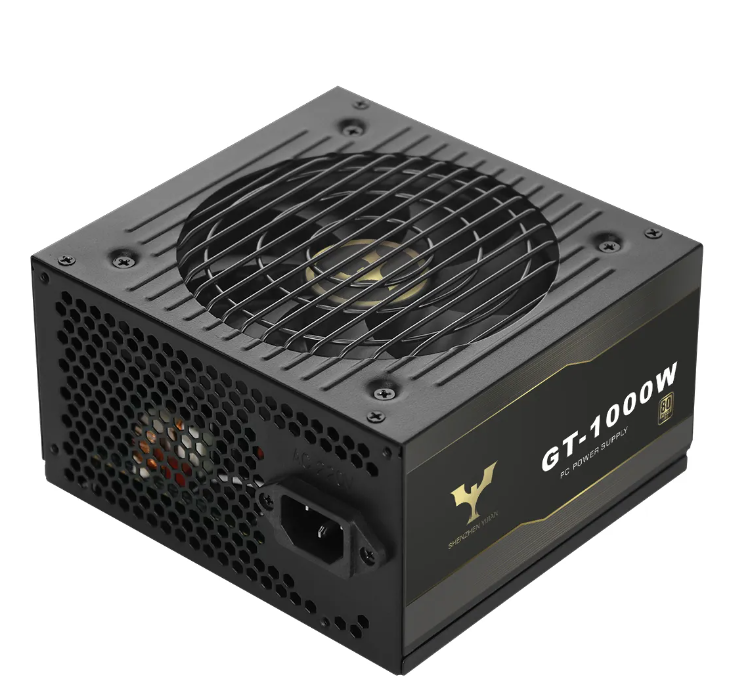
A desktop power supply serves as the lifeline of your computer system, delivering stable power to every hardware component from the motherboard to the GPU. Choosing a compatible computer power supply is critical to avoid system crashes, hardware damage, or performance bottlenecks. As a professional manufacturer with 20 years of experience in designing and producing PC power supplies, Yijian understands the nuances of hardware compatibility. This guide will walk you through the key steps to verify that your desktop power supply aligns with your computer’s hardware, ensuring reliable and efficient operation.
Check Interface Compatibility with Core Components
Hardware components rely on specific power connectors to function, so matching the desktop power supply’s interfaces to your hardware is the first and most crucial step.
Motherboard and CPU Connectors
Nearly all modern motherboards require a 24PIN main power connector, while CPUs need an 8PIN or 4+4PIN EPS connector for stable power delivery. Ensure your desktop power supply includes these essential connectors—missing or incompatible ones will render the system inoperable. Yijian’s computer power supply lineup, such as the GT-1000W and GN-1300W, comes with standard 24PIN and 8PIN CPU connectors, supporting both mainstream and high-end motherboards. For older motherboards with 20PIN connectors, some power supplies offer 20+4PIN detachable designs, but this is less common in newer models.
GPU Power Requirements
High-performance GPUs are power-hungry and demand dedicated connectors. Mid-range GPUs typically use 6PIN or 8PIN PCIE connectors, while flagship models may require dual 8PIN connectors or the new 12VHPWR connector for PCIE 5.1. Verify your GPU’s power connector needs and ensure the desktop power supply has enough of the correct type. Yijian’s PL-850W and AI-3000W computer power supplies feature 12VHPWR and multiple PCIE connectors, catering to the latest GPU technologies. Never use adapter cables unless explicitly recommended by the GPU or power supply manufacturer, as they can cause voltage instability.
Storage and Peripheral Connectors
Hard drives, SSDs, and peripherals like fans or RGB controllers use SATA or IDE connectors. Count the number of storage devices and peripherals in your system to ensure the desktop power supply has sufficient SATA/IDE ports. Yijian’s BF-550W and GTJ-850W models offer multiple SATA/IDE connectors, supporting large storage arrays and expanded peripheral setups. If you plan to add more devices in the future, choose a computer power supply with extra connectors to avoid the need for splitters, which can overload circuits.
Confirm Power Capacity Compatibility
The desktop power supply’s wattage must match or exceed the total power demands of your hardware. Underpowered units lead to system instability, while overpowered ones waste energy—finding the right balance is key.
Calculate Total Hardware Power Consumption
List all components and their typical power draw: CPU (65-150W for mainstream models, 200W+ for high-end), GPU (100-400W+), motherboard (20-50W), RAM (2-5W per stick), storage (5-10W per drive), and peripherals (5-20W total). Add these values and add a 20-30% buffer to account for peak loads and future upgrades. For example, a system with a 100W CPU, 250W GPU, and other components totaling 50W needs a desktop power supply of at least 480W (400W x 1.2). Yijian offers computer power supplies ranging from 200W to 1600W, covering everything from basic office setups to gaming rigs.
Match Efficiency to Power Needs
Efficiency ratings (80Plus Bronze, Gold, Platinum) not only reduce energy costs but also indicate the desktop power supply’s ability to deliver consistent power at different loads. A 80Plus Gold or Platinum computer power supply is ideal for systems that run at medium to high loads regularly, as they maintain efficiency across a wider range. Yijian’s 80Plus-certified products undergo 30+ tests to ensure stable power delivery, making them reliable for long-term use.
Verify Physical Size Compatibility
Desktop power supplies come in standard form factors, and their size must fit your computer case. Using an incompatible size will prevent installation or block airflow.
Know Common Form Factors
The most common form factor is ATX, which fits most full tower and mid-tower cases. Smaller cases (mini-ITX or micro-ATX) may require SFX, TFX, or FLEX power supplies. Measure your case’s power supply bay or check the manufacturer’s specifications to confirm the compatible form factor. Yijian produces computer power supplies in multiple form factors, including ATX, SFX, FLEX, 1U, 2U, and TFX, ensuring compatibility with various case designs.
Consider Cable Management Space
Modular and full-modular desktop power supplies allow you to use only the necessary cables, reducing clutter and improving airflow. This is especially important for small cases where space is limited. Yijian’s full-modular models like the BF-550W and GN-1300W make cable management easier, ensuring the power supply fits without obstructing other components. Note that modular cables are not interchangeable between different power supplies—always use the cables provided with your computer power supply.
Validate Certification and Standard Compliance
Certified desktop power supplies adhere to industry standards, ensuring compatibility with modern hardware and safety regulations.
Look for Key Certifications
Reliable computer power supplies carry certifications like UL, CE, FCC, CB, and RoHS, which confirm safety and environmental compliance. Yijian’s products have over 100 domestic and international certifications, including ISO9001 and ISO14001, meeting global standards for quality and safety. These certifications guarantee that the desktop power supply works seamlessly with hardware from different manufacturers.
Check Industry Standards Alignment
Newer hardware may require compliance with ATX 3.0 or 3.1 standards, which support higher power delivery and better compatibility with PCIE 5.0/5.1 GPUs. Yijian’s PL-850W and AI-3000W computer power supplies meet ATX 3.1 and PCIE 5.1 standards, ensuring compatibility with the latest high-performance components. Older standards like ATX 2.4 are still compatible with most mainstream hardware but may lack support for cutting-edge GPUs.
Conclusion
Verifying the compatibility of your desktop power supply with hardware is essential for building a stable, efficient, and long-lasting computer system. By checking interface compatibility, power capacity, physical size, and certification compliance, you can avoid costly mistakes and ensure optimal performance. Yijian’s 20 years of expertise in computer power supply manufacturing, combined with its diverse product lineup and strict quality control, makes its desktop power supplies a reliable choice for any system. Whether you’re building an office PC, gaming rig, or content creation workstation, Yijian’s certified, compatible products deliver the power your hardware needs. Follow this guide to make an informed decision and enjoy a seamless computing experience.