 EN
EN

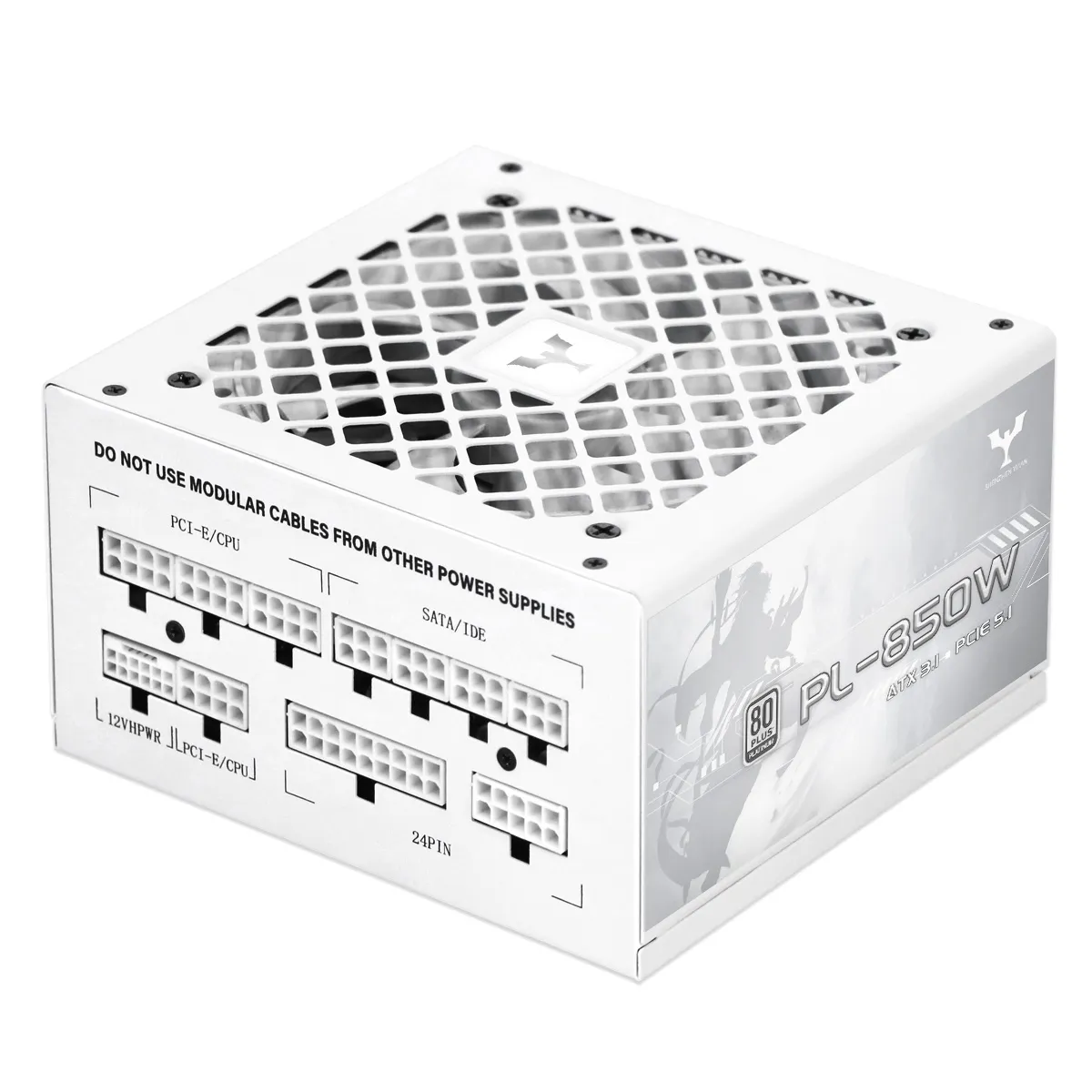
Optimize Thermal Management for Long-Term PC Power Supply Reliability
Ensure adequate case ventilation and regular dust removal
Proper ventilation prevents heat buildup that degrades your PC power supply. Dust accumulation acts as insulation, trapping heat around components—including the PSU’s intake and internal circuitry. Clean intake vents and internal fans quarterly using compressed air to maintain unrestricted airflow. Position your computer in open areas away from walls, carpets, or enclosed furniture to ensure exhaust fans operate without obstruction. Systems with consistent thermal management experience up to 300% longer component lifespans compared to neglected units, according to electronics reliability studies.
Improve airflow with strategic cable management around the PSU intake
Organize cables to prevent blockage of the power supply’s bottom-mounted intake fan. Use these techniques:
- Route cables along case channels away from the PSU
- Employ modular cables to eliminate unused wiring
- Secure bundles with velcro ties behind the motherboard tray
This reduces air turbulence and maintains consistent cooling across critical PSU components. Proper cable management contributes to 50–80% lower failure rates from thermal stress—preserving efficiency and stability during intensive workloads.
Prevent Electrical Overstress on Your PC Power Supply
Match PSU Wattage to System Load—and Avoid Chronic Overloading
An undersized power supply forces the CPU, GPU, and other components into continuous stress cycles, accelerating wear on both the PSU and downstream hardware. Conversely, overprovisioning beyond reasonable headroom (e.g., >30% above peak system draw) offers no longevity benefit and may reduce efficiency at low loads. Calculate your system’s true peak demands using manufacturer-validated tools—not generic wattage calculators—to ensure stable voltage delivery and avoid overheating or brownouts under load.
Use Surge Protectors or UPS Units to Shield Against Voltage Spikes
Transient surges and sustained voltage fluctuations degrade internal capacitors and control circuitry. Voltage deviations exceeding ±10% of nominal levels can shorten electronic component lifespans by up to 40%, per IEEE 2023 guidelines. Uninterruptible Power Supply (UPS) systems provide dual protection: real-time filtering of line noise and irregularities, plus battery-backed runtime during outages. This prevents abrupt shutdowns that corrupt data and impose damaging current transients on the PSU.
Choose and Maintain a High-Quality PC Power Supply
Prioritize 80 Plus certification, UL listing, and reputable OEMs
Selecting a high-quality PC power supply begins with verifying three foundational credentials:
- 80 Plus certification (Bronze through Titanium) guarantees ≥80% energy efficiency at typical loads—reducing waste heat and associated stress on internal components.
- UL Listing confirms compliance with Underwriters Laboratories’ rigorous electrical safety standards, including fire resistance and isolation testing.
- Reputable OEM sourcing, such as Seasonic, FSP, or Flextronics-built units, ensures use of premium Japanese electrolytic capacitors, robust overvoltage/overcurrent protections (OVP, OPP, SCP), and validated thermal design.
Industry field data shows PSUs meeting all three criteria average 7–8 years of reliable service—more than double the ≤3-year median lifespan of uncertified or no-name units.
Monitor aging signs—especially capacitor swelling or leakage
Proactive inspection extends your PC power supply lifespan. Every 3–6 months, visually examine capacitors through the PSU’s ventilation grille. Bulging tops, cracked seals, or electrolyte residue—particularly in units over four years old—are strong indicators of imminent failure. Audible coil whine under load, intermittent shutdowns during high-demand tasks, or unexplained system instability also signal deterioration. Replace PSUs exhibiting these symptoms immediately; degraded capacitors risk catastrophic voltage collapse, potentially damaging motherboards, GPUs, and storage controllers. For early detection, pair visual checks with HWiNFO to monitor +12V rail stability—deviations exceeding ±5% warrant immediate investigation.
Detect Early Failure Signs to Avoid Catastrophic PC Power Supply Failure
Recognizing early symptoms of PC power supply unit (PSU) degradation prevents cascading hardware damage and data loss. Key indicators include:
- Unexpected shutdowns or reboots during high-load activities like gaming or rendering—often caused by unstable voltage regulation
- Audible warnings, such as buzzing, clicking, or high-pitched whining from inside the PSU housing
- Burning odors or visible smoke, indicating overheating, arcing, or capacitor venting
- Physical abnormalities, including swollen or leaking capacitors, scorch marks on PCBs, or discolored heatsinks
When any of these signs appear, immediately power down the system and test output voltages with a multimeter. Do not attempt to “run it until it fails”—a failing PSU poses a real risk to connected components. Replace the unit before resuming operation.
FAQ
Q: How often should I clean my PC power supply ventilation to prevent dust accumulation?
A: It is recommended to clean intake vents and internal fans every three months using compressed air to maintain unrestricted airflow.
Q: How do I know if my PSU wattage matches my system’s load?
A: Use manufacturer-validated tools to calculate your system’s peak demands instead of generic wattage calculators. This ensures a stable voltage delivery and prevents overheating.
Q: What type of protections does a quality PSU offer?
A: High-quality PSUs feature overvoltage, overcurrent, and short-circuit protections (OVP, OPP, SCP), ensuring safety against electrical mishaps.
Q: What are the signs of a failing power supply?
A: Early signs include unexpected shutdowns, high-pitched coil whine, burning odors, physical capacitor abnormalities, or system instability during high-demand tasks.
Q: Why is 80 Plus Certification important for PSUs?
A: It guarantees at least 80% energy efficiency, minimizing waste heat and reducing stress on internal components, which extends the PSU’s lifespan.